

A streamer gadget upgrade can make a channel look more professional in one purchase, but only if the money goes to the right weakness. Too many creators buy a sharper webcam before fixing muddy audio, or grab a Stream Deck before their stream has enough moving parts to justify one. The smartest upgrade path starts with a blunt question: what is making the stream feel amateur right now?
That answer is different for every creator. A console streamer may need a capture card before anything else. A talking-head creator may need a microphone. A gaming streamer with a face cam may get more value from lighting than from 4K video. The best gear decision is not the most exciting box on the desk; it is the one that removes the biggest quality bottleneck.
The Streamer Gadget Upgrade Most Creators Should Make First
For most streamers, the first serious upgrade should be audio. Viewers will tolerate a slightly soft camera longer than they will tolerate harsh, distant, distorted, or inconsistent sound. A stream can look modest and still feel watchable. Bad audio makes people leave quickly.
That is why a USB microphone often beats a webcam as the first purchase. A decent mic gives the stream a more intentional feel. It makes commentary easier to follow, jokes land better, reactions feel closer, and long sessions less fatiguing. For gaming, podcasts, tutorials, reaction content, and live Q&A, the voice is often the main product.
The mistake is thinking a microphone has to be expensive or studio-grade. It does not. A clean USB mic, placed close to the speaker and tuned properly, can outperform a costly camera in perceived production value. The bigger lesson is voice quality first. If people cannot hear you clearly, nothing else feels premium.
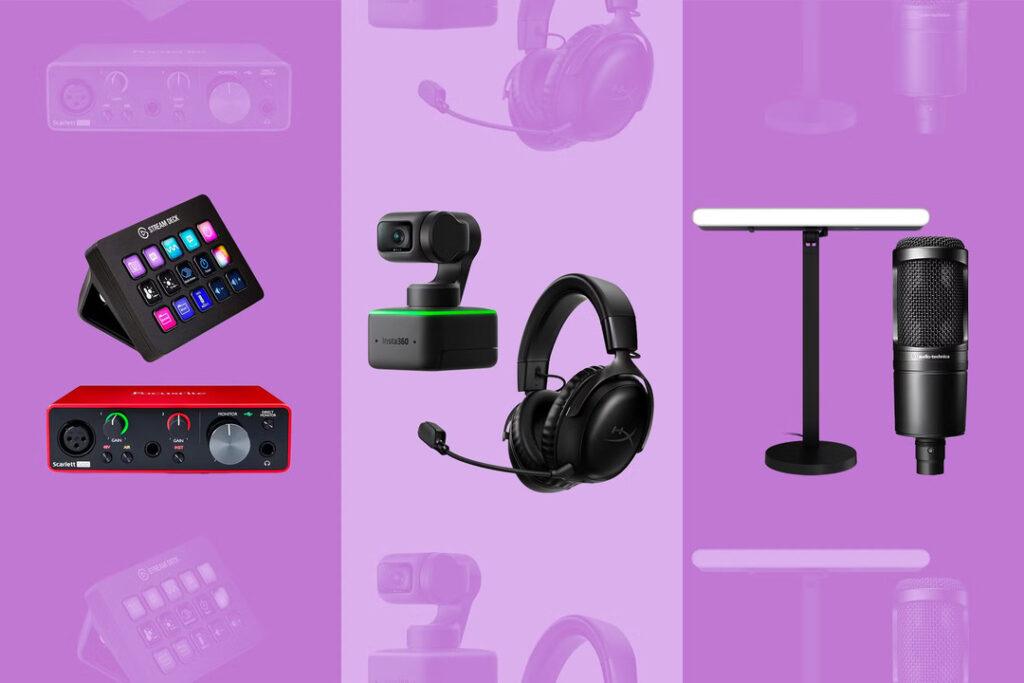
A Webcam Helps Only After the Room Stops Fighting You
A better webcam can absolutely improve a stream, but it is not magic. A 4K camera pointed at poor lighting, cluttered backgrounds, and harsh shadows will still look rough. Many creators blame the camera when the real problem is the room.
That is why lighting and positioning often deserve attention before a premium webcam. Even a modest camera can look cleaner with a soft front light, a controlled background, and a stable angle. A sharper webcam makes sense when the creator already has basic lighting under control and wants better detail, color, autofocus, or low-light performance.
A webcam upgrade is most useful for creators whose face is central to the show: reaction channels, education streams, podcasts, interviews, tutorials, and personality-led gaming content. If the camera box is tiny in the corner of a gameplay feed, a major camera spend may have less impact than expected.
The practical rule is simple: fix visibility before chasing resolution. A clear 1080p image with good lighting often looks more professional than a poorly lit 4K feed. Lighting changes everything because it improves the image before the camera even starts processing it.
Stream Decks Are Workflow Tools, Not Instant Quality Boosters
A Stream Deck is one of the most tempting gadgets in streaming because it looks like a professional control room in miniature. It can switch scenes, trigger sound effects, launch apps, control audio, fire off shortcuts, and manage stream actions from physical buttons. The official Elgato Stream Deck page shows why creators love the idea: customizable keys can turn a messy workflow into a cleaner one-button system.
But a Stream Deck does not improve picture quality or audio quality by itself. It improves control. That distinction matters.
For a beginner with one scene, one mic, and one camera, a Stream Deck may be unnecessary at first. For a creator juggling intro screens, gameplay, camera zooms, sponsor graphics, clips, sound effects, alerts, chat commands, and recording markers, it becomes much more valuable.
The best time to buy one is when the stream already has repeated actions that interrupt performance. If the creator keeps alt-tabbing, missing scene switches, forgetting mute states, or fumbling with OBS controls during live moments, a control deck can make the stream feel smoother. Workflow earns its place when the show is already complex enough to need it.
This is also where buyers should avoid choosing only by key count. A smaller device may be enough for basic scenes and mute controls. A larger model makes sense when the creator has layered production needs. Anyone comparing models should think carefully about which Stream Deck should fit their setup before paying for more buttons than they will actually use.
Capture Cards Matter Only for the Right Kind of Stream
A capture card is essential for some creators and pointless for others. That makes it one of the easiest upgrades to misunderstand.
If you stream from a PlayStation, Xbox, Nintendo Switch, camera with HDMI output, or a dual-PC setup, a capture card can be the bridge that makes the production work. It brings external video into the streaming computer so the creator can manage gameplay, overlays, audio, and recording in one place.
If you stream only from a single gaming PC, you may not need one at all. Software capture can handle many PC setups without extra hardware. Buying a capture card before confirming the workflow is a common waste of money.
The best reason to buy one is not “better quality” in a vague sense. It is signal control. Console streamers need clean game capture. Dual-PC streamers want to separate gaming performance from encoding and production. Camera users may want higher-quality video from a mirrorless or DSLR setup. For those creators, a capture card is not a luxury; it is infrastructure.
This is also why OBS Studio remains central to the conversation. Streaming setups are built around sources: cameras, capture devices, microphones, windows, scenes, overlays, and audio mixes. The right gadget depends on which source is currently limiting the production.
Which Streaming Gadget Should You Upgrade First?
The best upgrade order depends on what kind of creator you are, but the comparison becomes clearer when each device is judged by the problem it solves.
| Gadget | Best For | Biggest Stream Improvement | Buy It First If |
|---|---|---|---|
| USB microphone | Gaming, podcasts, commentary, tutorials | Clearer voice and stronger viewer trust | Your audio sounds distant, noisy, or thin |
| Lighting | Any face-cam stream | Better camera image without replacing the camera | Your face looks dark, flat, or shadowy |
| Webcam | Reaction, education, podcast, personality streams | Sharper, cleaner on-camera presence | Your lighting is decent but your camera still looks soft |
| Stream Deck | Intermediate and advanced live productions | Faster scene, audio, and shortcut control | You keep fumbling with controls live |
| Capture card | Console, camera, and dual-PC streamers | Clean external video capture | Your content depends on external devices |
The table points to a smarter buying philosophy: buy for bottlenecks. The best gadget is the one that fixes the flaw viewers notice most, not the one that looks most impressive on a setup tour.
The Upgrade Signals That Separate Smart Spending From Gear Chasing
The next signal to watch is not whether a new product has more resolution, more buttons, or more RGB. It is whether streamer gear keeps getting easier to integrate. Creators do not just need better hardware. They need hardware that works cleanly with OBS, Discord, Twitch, YouTube, editing tools, alerts, chat systems, and audio routing.
That is where the streaming gear market is heading. The real value is not one device in isolation. It is the whole production chain: mic into software, camera into lighting, controls into scenes, capture card into console, and every piece working without forcing the creator to troubleshoot during a live show.
For beginners, the next move should be conservative. Record a short test stream, watch it back, and identify the weakest part. If the voice sounds bad, buy a mic. If the camera looks dull, fix lighting. If the stream feels chaotic, consider a Stream Deck. If the console or second PC is the issue, look at capture cards.
A streamer gadget upgrade should make the content easier to watch and easier to produce. That is the standard that matters. The winning setup is not the one with the most gadgets on the desk; it is the one where viewers hear you clearly, see you comfortably, and never notice the technical work happening behind the scenes.