

A dual-PC streaming setup used to be the dream upgrade for creators who wanted cleaner broadcasts, smoother gameplay, and fewer frame drops. The problem is that today’s streaming hardware and encoder options have made the answer less obvious than it used to be.
Many streamers do not need a second machine before they need better settings, stronger upload stability, smarter scene design, and cleaner audio. The bigger mistake is treating a dual-PC setup like a shortcut to professionalism when a tuned single-PC setup may already be enough. That fits the same warning behind streaming gear priorities: the upgrade that looks serious is not always the one that fixes the weakest part of the stream.
A Dual-PC Streaming Setup Solves One Problem Very Well
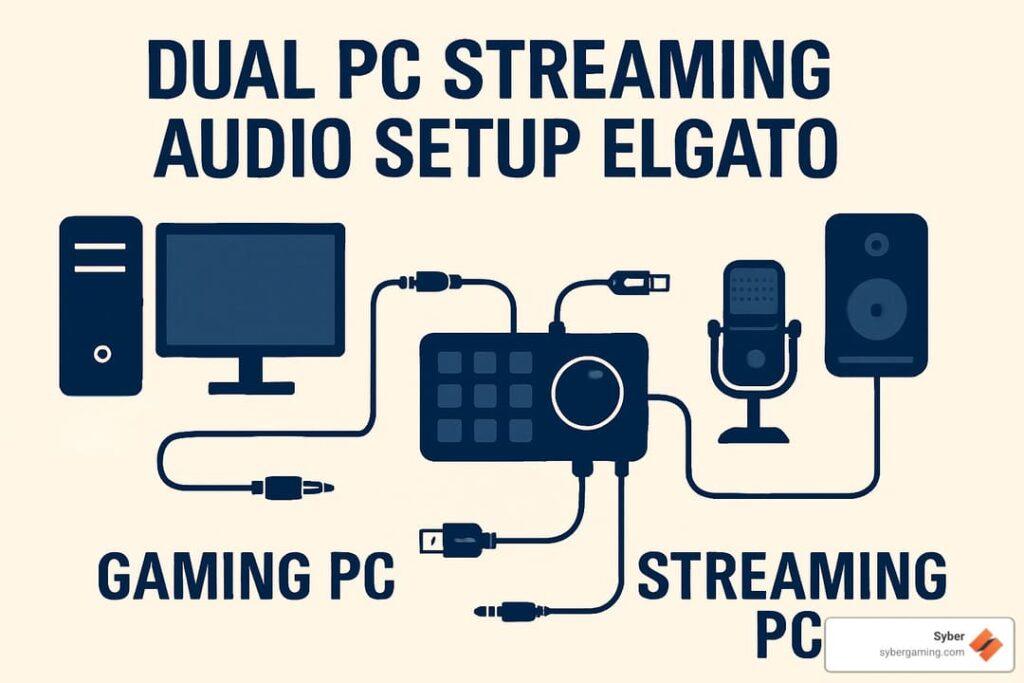
A dual-PC setup separates gaming and encoding. One machine runs the game. The other handles OBS, alerts, overlays, audio routing, capture, recording, and broadcast output.
That separation can help when the gaming PC is already under heavy load. If a streamer plays demanding titles at high frame rates while recording locally and broadcasting live, the workload can become messy. Moving the stream to a second machine gives the gaming PC more breathing room.
But that does not mean every creator needs it. Modern GPUs include dedicated hardware encoders, and NVIDIA’s broadcasting setup guidance shows how GPU encoding can handle streaming workloads without leaning entirely on the CPU. A powerful single PC with the right encoder can often run a strong 1080p stream.
The real question is workload, not whether two PCs sound more professional.
| Setup Factor | Single-PC Streaming | Dual-PC Streaming |
|---|---|---|
| Best fit | Beginners, compact setups, most casual creators | Heavy multitaskers, advanced creators, esports-style setups |
| Cost | Lower | Higher |
| Desk complexity | Simpler | More cables, capture, audio routing |
| Performance relief | Depends on encoder and game load | Stronger separation of tasks |
| Troubleshooting | Easier | More failure points |
| Upgrade priority | Settings, mic, lighting, internet | Capture card, second PC, routing gear |
Single-PC Streaming Is Better Than Many Creators Expect
The old advice that serious streamers must use two PCs is less convincing now. A strong gaming PC can stream, record, and game well if the creator uses sensible settings and avoids overloading the system.
This matters because many new streamers overspend before they understand their real bottleneck. If the stream looks soft, the cause may be bitrate. If the voice sounds thin, the cause may be mic placement. If the stream stutters, the issue may be upload instability, not a missing second PC.
A sensible test is to stream and record a demanding game while monitoring CPU, GPU, RAM, encoder load, network stability, and OBS warnings. If the PC remains stable, the second machine may not solve much. If the gaming PC is consistently maxed out even after settings changes, a dual-PC setup becomes more reasonable.
A single PC is not automatically amateur. A badly configured dual-PC setup is not automatically better.
Dual PCs Add Power, But Also Add Failure Points
A dual-PC setup sounds clean until the wiring begins. The creator may need a capture card, HDMI routing, audio interface, mixer, network sharing, extra monitor, more desk space, more power outlets, and a second Windows machine to maintain.
That creates new places for problems to appear. Audio may desync. The capture card may not pass through the exact refresh rate or VRR behavior the gamer expects. The streaming PC may need separate drivers, OBS profiles, and updates. Troubleshooting becomes harder because a problem can live in either machine or in the path between them.
More hardware means more complexity. That is not a reason to avoid dual-PC streaming, but it is a reason to buy it only when the current setup has clearly reached its limit.
The Capture Card Becomes The Center Of The Setup
In most dual-PC workflows, the capture card is the bridge. It takes video from the gaming PC and sends it to the streaming PC. That makes capture quality, passthrough, refresh-rate support, HDR handling, and latency important.
A creator using a 144Hz or 240Hz gaming monitor should be especially careful. Some capture cards support high-refresh passthrough better than others. Some setups require cloning or extending displays in Windows, which can create its own quirks.
Audio routing matters too. Game audio, microphone audio, Discord, music, alerts, and stream monitoring may need separate paths. If the creator does not plan that routing, the second PC can create more confusion than relief.
The Upgrade Should Start With Symptoms
Before buying a second PC, streamers should identify the symptom. Dropped frames from encoding overload are different from dropped frames caused by network instability. Game stutter is different from stream stutter. Bad image quality is different from bad performance.
OBS hardware encoding, GPU encoders, cleaner scene collections, and more efficient overlays have made single-PC streaming more practical. Twitch also provides broadcast quality settings that help creators match bitrate, resolution, and frame rate to platform expectations instead of chasing unrealistic local quality.
The best time to move to two PCs is when the creator knows exactly what the second PC will remove from the first one.
The Next Streaming Upgrade Is Efficiency
Streaming is moving toward smarter encoding, cleaner workflows, and better creator tools. That makes efficiency more valuable than brute-force complexity. A well-tuned single PC can now do what once required a more elaborate setup.
That does not make dual-PC streaming obsolete. It still makes sense for creators who record high-quality local footage, stream demanding games, manage complex scenes, or need the reliability of separating gameplay from production.
A dual-PC streaming setup matters because it can solve real performance pressure, but it should not be the first serious upgrade for every creator. Start with the stream’s weakest link, tune the single PC honestly, and move to two machines only when the added complexity gives back more than it takes.