

Premium laptops have a high bar to meet, and the Samsung Galaxy Book6 Ultra steps into the ring promising top-tier performance for professionals and creatives alike. Having tested the Book6 Ultra, which sits atop Samsung’s current notebook range, I’m here to tell you if this powerhouse warrants its lofty price or if it’s all just marketing hype.
Unboxing and First Impressions
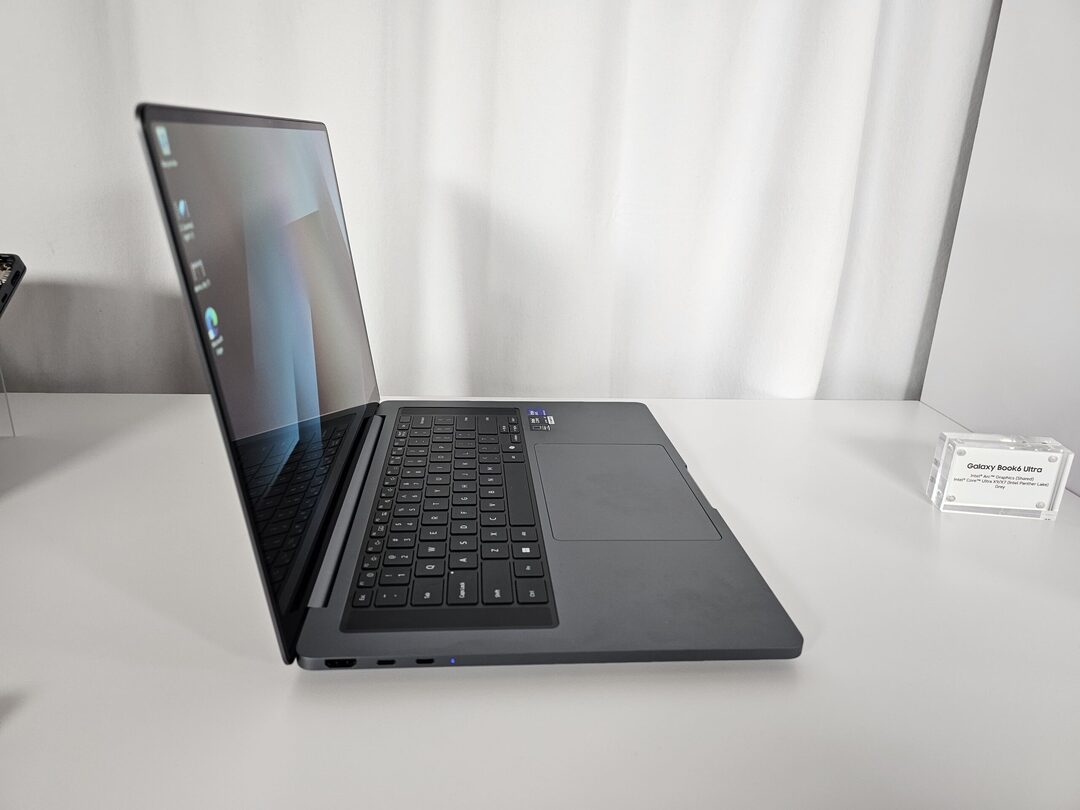
When I first unboxed the Galaxy Book6 Ultra, its design was exactly what you’d expect from a high-end machine: solid build, minimal flex, with a professional and understated look. However, I did find the available finish options limiting; there’s only one color, which feels like a missed opportunity for a device at this price point.
Pricing and Model Overview
Performance: Powered by the Latest Tech
Let’s get the sticker shock out of the way: my 16-inch review unit with 1TB storage retails for $2,999 in the U.S. The Ultra line starts at roughly $2,499 and scales up if you need more storage or a bigger RAM package choices include 16GB, 32GB, or a whopping 64GB RAM, plus 512GB up to 2TB of blazing fast PCIe SSD.
Under the hood, the Galaxy Book6 Ultra boasts the newest Intel and Nvidia chipsets my review model featured a Core Ultra 7 and Nvidia RTX 5070, which puts it in direct competition with heavyweights like the MacBook Pro and high-end Asus models. Day-to-day productivity, video editing, and even gaming blazed by without stutter or slowdown.
One of the more exciting aspects is its future-proofing. With Wi-Fi 7 and Bluetooth 5.4 built in, alongside a robust port selection, you won’t be left behind as your other devices or home network upgrade.
Battery Life: Ready to Go All Day
Samsung promised impressive endurance, and I found those claims surprisingly accurate. Even with heavy multitasking streaming, creative software, and web conferencing I got a full day’s use before reaching for the charger. This makes it a standout for business users and travelers who don’t want to be tethered to an outlet.

Unique Samsung Features and Device Compatibility
As with other Galaxy Books, the Book6 Ultra shines brightest if you’re already in the Samsung ecosystem. Features like Galaxy Connected Experiences let you easily drag and drop files between your laptop, smartphone, or tablet, and even use a Galaxy Tab as a secondary monitor. Accessing text messages and photos from my phone on the laptop quickly became second nature, and it’s incredibly convenient.
Downsides: Cost, Noise & Design
There are a few areas where the Galaxy Book6 Ultra doesn’t quite hit the mark:
- Price: This is one of the most expensive Windows laptops you’ll find. For context, the top MacBook Pro or competing Asus creative laptops may offer similar specs for slightly less.
- Fan Noise: I noticed the fans regularly ramping up when doing intensive tasks, and while the noise isn’t obnoxious, it is noticeable especially for those used to quieter machines.
- Limited Aesthetics: Aside from the standard look and single-color offering, there’s little in the way of personal flair.
Is the Galaxy Book6 Ultra Worth It?
The Book6 Ultra delivers on its promise of no-compromise performance. Whether you’re editing massive video files, compiling code, or juggling demanding multitasking, this laptop rises to the occasion. If you’re a creative professional or power user invested in Samsung’s ecosystem, its seamless integration features make it even more attractive. Our chosen benchmarks – PC Mark 10, 3D Mark and Geekbench – were powered through in no time at all. The GPU benchmark in particular was breezy. The fan wasn’t too noticeable during this high-load time, but it was audible.
But for all its power, the high entry price, noticeable fan noise, and plain styling are worth considering. Casual users or anyone with a tighter budget may find better value elsewhere.
Final Thoughts and Score
After hands-on testing, it’s clear Samsung aimed to make the Galaxy Book6 Ultra the centerpiece of its laptop lineup—and it largely succeeds. The raw performance, battery life, and Samsung device connectivity give it a powerful edge in the premium market.
Pros:
- Groundbreaking Intel and Nvidia hardware
- Lots of memory and storage options
- Outstanding battery life
- Excellent companion device features if you own other Samsung devices
Cons:
- Premium price tag ($2,499–$2,999+)
- Fan noise under heavy loads
- Conservative, single-color design
Where to buy:
If you want the best of what Windows laptops have to offer and you don’t mind paying for it, the Galaxy Book6 Ultra deserves to be on your shortlist. For everyone else, it’s a taste of what the high-end laptop market looks spectacular, but still with a few trade-offs.
RAVE-TECH Final Score: 9.3/10