

The OLED gaming monitor vs 4K monitor debate is not really about one screen being “better.” It is about whether your games need deeper contrast, faster pixel response, and stronger HDR presence, or whether they need sharper detail from a higher-resolution panel.
That matters because monitor marketing often pushes buyers toward the biggest number first. A 4K label sounds like the obvious visual upgrade, but OLED can make games feel more dramatic even at a lower resolution. Rave-Tech has already looked at the premium display problem through its Samsung Odyssey G8 analysis, and the same buying tension applies here: better specs do not always mean a better experience.
OLED Gaming Monitor vs 4K Monitor Starts With The Real Visual Difference
OLED and 4K describe different things. OLED is a panel technology. 4K is a resolution. That means the comparison is not perfectly equal, because a gaming monitor can be OLED, 4K, both, or neither.
An OLED gaming monitor earns its advantage through contrast. Each pixel can emit its own light, which allows true black levels, fast transitions, and a more intense image in dark scenes. A traditional 4K gaming monitor may use IPS, VA, Mini-LED, or another LCD-based panel, with the main appeal being pixel density and detail.
That is the first buyer filter. OLED improves the character of the image, while 4K improves the amount of detail on screen. A horror game, sci-fi world, or HDR-heavy RPG may benefit more from OLED. A strategy game, open-world title, or productivity-heavy setup may benefit more from 4K sharpness.
| Buyer Priority | OLED Gaming Monitor | 4K Gaming Monitor |
|---|---|---|
| Best visual strength | Contrast, black levels, pixel response | Sharpness, detail, text clarity |
| Best game fit | Cinematic, horror, racing, HDR-heavy games | Open-world, strategy, sim, creator work |
| Refresh-rate appeal | Often strong at 1440p and premium 4K tiers | Depends heavily on panel and price |
| Main risk | Burn-in and brightness limits | GPU load and weaker contrast |
| Best buyer | Visual-impact gamer | Detail-first gamer |
4K Still Wins When Sharpness Is The Goal
A 4K gaming monitor makes the most sense when clarity is the priority. Text is sharper, distant detail is easier to read, and large screens feel more natural because the higher pixel count keeps the image from looking stretched.
That matters for gamers who also work on the same monitor. If the screen handles spreadsheets, editing timelines, browser windows, Discord, streaming software, and games, 4K can feel more useful than a lower-resolution OLED panel. It gives the desktop more space and makes fine UI elements cleaner.
The catch is GPU demand. 4K gaming asks much more from a graphics card than 1440p. A buyer with a midrange PC may end up lowering graphics settings or using upscaling just to keep frame rates comfortable. 4K is only a visual win if the system can drive it well.
NVIDIA’s G-SYNC monitor program is a useful reminder that smoothness, variable refresh rate support, and tested display behavior still matter alongside resolution.
OLED Changes Motion And HDR More Than Buyers Expect
OLED’s strongest gaming advantage is not only black levels. It is motion clarity. Because OLED pixels transition very quickly, fast camera movement can look cleaner than it does on many LCD monitors.
That can matter in shooters, racing games, fighting games, and fast third-person action. A high-refresh LCD can still feel excellent, but OLED often has a responsiveness advantage that makes motion look more immediate.
HDR is another major reason OLED attracts gamers. A game with deep shadows, bright highlights, neon lighting, fire, stars, reflections, and dark environments can feel more dimensional on OLED. VESA’s DisplayHDR program and True Black certifications also show why HDR quality is about more than whether a display can technically accept an HDR signal.
The buyer warning is brightness. Some OLED monitors are spectacular in controlled rooms but less impressive in bright spaces. If your setup sits beside a sunny window, the OLED advantage may shrink during daytime gaming.
Burn-In Is Real, But It Should Not Be Overdramatized
OLED burn-in is the issue buyers always raise, and it deserves a serious answer. Static elements such as HUDs, taskbars, minimaps, health bars, and desktop icons can create long-term wear if displayed for extended periods.
That does not mean every OLED monitor is unsafe for gaming. Modern OLED monitors often include panel care features, pixel refresh tools, screen savers, dimming behavior, and warranties that vary by brand. The better question is how you use the screen.
A gamer who plays different titles, hides the taskbar, uses dark mode, and lets the monitor sleep is in a different risk category from someone who leaves the same static UI on screen for ten hours every day.
If the monitor is also your work display, burn-in caution matters more. For mixed office and gaming use, a 4K LCD or Mini-LED monitor may still be the more relaxed long-term purchase.
The GPU And Desk Setup Should Decide More Than Hype
The smartest monitor choice starts with the hardware you already own. A powerful GPU can make 4K feel worthwhile. A more modest GPU may produce a better experience on a 1440p OLED display because frame rates stay higher and motion feels smoother.
Desk size matters too. A 27-inch 4K monitor can look extremely sharp, but some gamers may prefer 32 inches for 4K because the extra size makes the resolution more visible. OLED ultrawides can feel immersive, but they may not suit every game or every workspace.
Console players should also check HDMI support, refresh-rate limits, VRR compatibility, and whether the monitor handles 4K signals properly. PC players should check DisplayPort, HDMI version, adaptive sync behavior, and GPU output support.
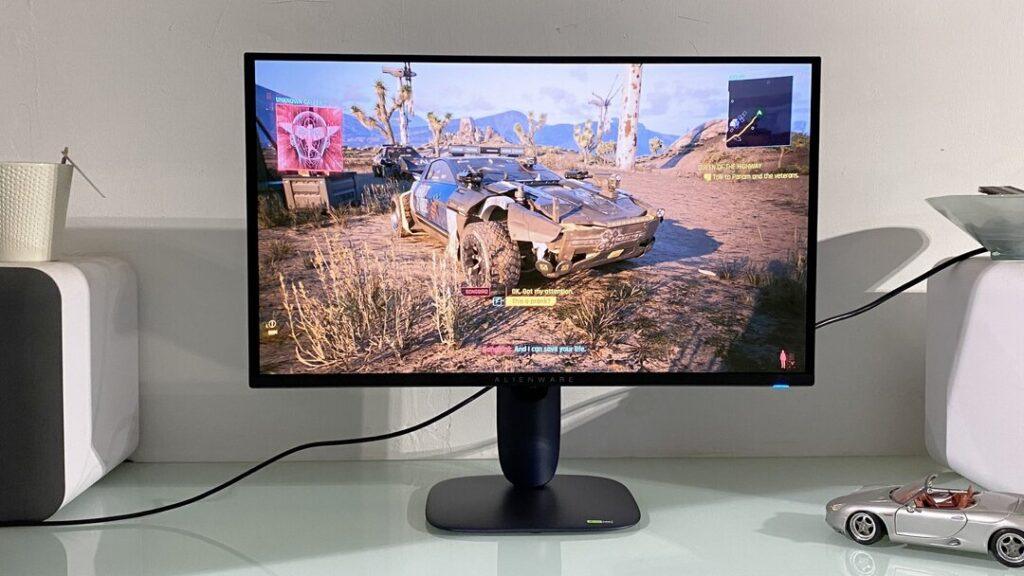
The Next Monitor Upgrade Is About Balance
The next buying pressure is convergence. More premium monitors now combine OLED, high refresh rates, HDR, and 4K, but prices can climb quickly. That makes the midrange decision more interesting: buy OLED at a lower resolution or buy 4K with a more traditional panel?
The answer depends on the games you play. Competitive players may prefer high-refresh OLED or fast 1440p panels. Cinematic players may want OLED contrast. Detail-first players may still choose 4K. Hybrid workers may need sharp text and safer static-image behavior.
The OLED gaming monitor vs 4K monitor decision matters because buyers are no longer choosing one simple upgrade path. OLED makes games feel richer. 4K makes them look sharper. The right screen is the one that matches your GPU, room, desk, and gaming habits before it matches the headline spec.
FAQ’s
Is OLED better than 4K for gaming?
OLED can look better in contrast, black levels, HDR scenes, and motion clarity. 4K can look sharper and cleaner for detail. The better choice depends on your games, GPU, room lighting, and work needs.
Should I buy a 1440p OLED or 4K monitor?
Buy 1440p OLED if you want strong contrast, smoother performance, and high refresh rates. Buy 4K if you want sharper detail, more desktop space, and have a GPU powerful enough for 4K gaming.
Do OLED gaming monitors get burn-in?
OLED burn-in is possible, especially with static elements shown for long periods. Modern panel care tools reduce risk, but heavy desktop use or repeated static HUDs still require more caution than LCD monitors.