

Your viewers might not judge your clothes, but they definitely notice bad sound quality. You don’t need a degree to make your stream sound professional. Just the right tools and a bit of knowledge.
Your setup is like a play with three acts. Microphones set the scene, interfaces translate the sound, and mixers balance it all. We’ve tested many, from the MaonoCaster’s affordable price to high-end options that impress Grammy winners. Remember, the best microphones paired with a quality interface are like a perfect writing tool.
Most streamers’ audio sounds like a garage band because they don’t know how to use their gear. It’s not about random button presses. It’s about understanding how to make your sound great.
This isn’t about being a snob. It’s about making your stream sound amazing. Whether you’re choosing between USB interfaces or XLR, we’ll guide you. Ready to make your stream sound incredible? Let’s explore more.
Introduction: Why Your Audio Chain Matters in Streaming
Your audio setup is like the pit crew in your streaming race. If they mess up, your viewers might hear static instead of sound. It’s not just about avoiding mistakes; it’s about using sound to grab attention in today’s fast-paced world.
Audio Basics for New Streamers
Think of your audio chain as a Marvel movie. Act 1 is your microphone catching sound like Spider-Man. Act 2 is the interface and mixer, refining and eliminating unwanted frequencies. Act 3 is your best headphones for streaming, letting you hear what your audience does.
What makes good audio different from bad? It’s all about the setup:
- Clean Input: A good mic setup avoids picking up unwanted sounds like keyboard clatter or AC hum
- Signal Control: Interfaces and mixers help control noise, just like noise-canceling headphones for live audio – key for mastering for streaming
- Output Clarity: While $300 gaming headphones are great for games, stream monitoring needs studio-grade sound
Pro tip: A green screen for streaming might hide messes, but bad audio shows you’re not ready. Even with just one PC, you need these basics right.
Audio Interfaces Explained
Think of your streaming setup as a high-stakes diplomatic summit. The audio interface is like your translator, converting analog microphones to digital platforms. It’s the unsung hero that keeps your voice clear, preventing it from sounding like a fax machine.

What Does an Audio Interface Do?
An audio interface is like the bouncer of your digital nightclub. It decides which sounds get VIP treatment and which get ignored. It has key functions like:
- 24-bit/192kHz analog-to-digital conversion – think of it as HD for your vocal cords
- Phantom power for condenser mics – the espresso shot your microphone needs
- Near-zero latency monitoring – because hearing yourself 2 seconds later is the streaming equivalent of bad lip-syncing
Top Picks for Streaming
Choosing between USB interfaces and XLR counterparts depends on your needs. It’s not just an audio interface vs. mixer debate. Here are the top picks for streaming:
Focusrite Scarlett Solo (3rd Gen): It’s like the Honda Civic of interfaces – affordable, reliable, and stylish. Its Air mode adds sparkle to your voice. It’s perfect for those who want pro sound without breaking the bank.
Elgato Wave XLR: It’s like the Steve Jobs of audio gear – minimalist design with smart software integration. It has clipguard technology to prevent peaking disasters. This is key when you’re streaming and your voice gets loud.
PreSonus AudioBox USB 96: It’s the underdog that punches above its weight class. It comes with Studio One recording software. It’s great for streamers who also podcast.
Pro tip: The internal vs external capture card choice is less important than your interface’s preamp quality. As any Twitch veteran will tell you, viewers forgive bad video but not bad audio.
Mixer Types and the Best Audio Mixers for Streaming
Choosing a mixer for streaming is like picking between a vintage typewriter and ChatGPT. Both create content, but one lets you edit typos mid-sentence. Your mixer choice matters more than your chat moderation during a heated Among Us lobby.
Analog vs. Digital Mixers: The Tactile vs. the Tech-Savvy
Analog mixers are like vinyl records – warm, nostalgic, and unforgiving. They’re perfect for streamers who enjoy twisting physical knobs. Digital mixers, on the other hand, are like Spotify. They offer cloud saves, voice modulation presets, and can mute your friend’s potato mic before it deafens your audience.
| Features | Analog Mixers | Digital Mixers |
|---|---|---|
| Sound Tweaking | Manual EQ adjustments | AI-driven noise suppression |
| Flexibility | Fixed channels | Unlimited virtual channels |
| Streamer Appeal | Retro aesthetic | Twitch integration |
Four Mixers That Won’t Make Your Stream Sound Like a Dial-Up Modem
We tested 15 mixers while eating Hot Pockets – these survived the crumbs:
| Model | Superpower | Best For |
|---|---|---|
| GoXLR | Voice effects so crisp, you’ll narrate your grocery list | Gaming streamers needing soundboard flexibility |
| Yamaha MG10XU | Built-in compression that smooths vocals better than auto-tune | Music/chat hybrid streams |
| RODECaster Pro II | Multitracks audio like a Broadway sound engineer | Podcasters & interview formats |
| BEACN Mix Create | Drag-and-drop controls even your cat could operate | Tech-phobic creators |
The RODECaster Pro II isn’t just a mixer – it’s the Tony Stark lab of audio gear. It has eight programmable pads, Bluetooth connectivity, and enough processing power to make your gaming PC jealous. The BEACN Mix Create shows simplicity isn’t a dirty word, with visual faders that glow brighter than your RGB keyboard during a midnight stream.
Pop Filters, Windscreens & Accessories
Those loud “pops” can make you sound like a Civil War soldier. Pop filters and windscreens keep your voice clear. They are like Batman protecting your stream.
What is a pop filter? Types and benefits for vocals
A pop filter is more than just mesh. It stops harsh sounds from your mouth. It’s like a guard that lets smooth sounds through.
There are three main types:
- Nylon mesh: A cheap but effective option. It works like a screen door, but some sounds can get through.
- Metal mesh: This filter is tough. It blocks harsh sounds and lets clear sounds pass through.
- Foam windscreens: These are like hats for your mic. They’re good for traveling but can soften sounds too much.
Our tests showed the FIFINE SC3 is better than Blue Yeti’s filter and cheaper. Its steel mesh is very good at stopping harsh sounds.
Best pop filters for streaming setups
Choosing a pop filter is easy. You just need one that works well with your best microphone for streaming. Here are some good ones:
- FIFINE SC3: This filter is a surprise hit. It’s great for USB mics and is very affordable.
- Auphonix PF-01: This filter moves like a dancer and holds tight. It’s perfect for keeping your mic steady.
- Dragonpad USA: This filter has thick nylon mesh. It can handle a lot of spit without breaking.
Tip: Use a shock mount with your best streaming pop filter. It helps get rid of vibrations. Your viewers will appreciate it.
Sample Streaming Audio Chains
Your streaming setup should sound amazing, not like a garage band’s first try. Let’s create audio chains that make your bedroom studio sound like a Coachella-worthy stage. No need for a soldering iron. Whether you’re running a podcast or trying to outdo the ASMR crowd, your audio chain is key to keeping viewers.
USB Simple Setups: Plug-and-Play Perfection
The Elgato Wave XLR with a Fifine K688 mic is like instant ramen for streaming. It’s great for:
- Mobile streamers using best cameras for streaming like Sony ZV-1F
- Bedroom DJs needing quick audio routing
- Creators who think XLR stands for “Xtra Loud Ruckus”
XLR Pro Chains: When You Need the Broadway Treatment
Pair a Focusrite Scarlett 18i20 with a Shure SM7B, and your rants will sound like NPR. This setup is perfect for:
- Using studio-grade lighting for streamers like Elgato Key Light Pro
- Running multiple guests through a RODECaster Pro II
- You need separate audio channels for game sounds, chat alerts, and your existential crisis
Hybrid Solutions: Swiss Army Knife Setups
Why pick between USB and XLR when you can have both? Source 1’s dual-PC setup combines a GoXLR Mini with a PreSonus Studio 68c. It offers:
- Seamless switching between console gaming and Zoom calls
- Real-time audio processing that makes even potato mics sound pro
- Enough ports to power a small synth orchestra
| Setup Type | Best For | Cost Range | Lighting Integration |
|---|---|---|---|
| USB Simple | Beginners/Solo streamers | $100-$300 | Basic ring lights |
| XLR Pro | Multi-guest productions | $600-$2000 | RGB panels + softboxes |
| Hybrid | Content multitaskers | $400-$800 | Smart LED systems |
Remember: Your audio chain should match your lighting for streamers dreams. Starting simple is okay. Just don’t be that streamer whose mic crackles louder than their personality.
Troubleshooting Audio Issues: Interference, Hiss, Volume Drops
Ever heard your mic sound like an AM radio station in the middle of a stream? Welcome to audio gremlins – unwanted guests that ruin your “just one more match” vibe. Let’s figure out these audio problems like an audio detective.
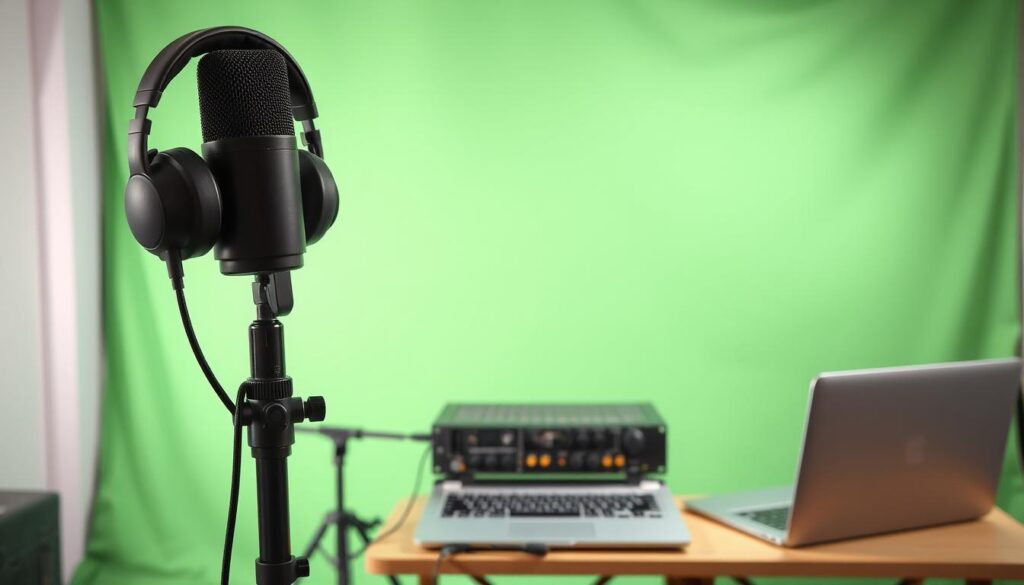
Ground loops: The serial killers of clean audio. These happen when devices share power sources, making a hum louder than your chat after a hot take. Fixes:
- Use a ground loop isolator (cheaper than therapy)
- Power all gear through a single surge protector
- Keep your green screen for streaming at least 3 feet from audio cables – yes, fabric can become an antenna
Hiss happens – literally. If your mic sounds like a snake convention, check:
- Gain staging: Boost at interface, not software
- Shielded XLR cables (the armor against electromagnetic interference)
- Compatibility: Maono mics hate certain USB hubs like cats hate cucumbers
Volume drops? Could be your internal vs external capture card playing hide-and-seek. Test with OBS’s audio meters – if they flatline like your first TikTok video, try:
- Updating drivers (the tech equivalent of watering plants)
- Switching USB ports (sometimes 3.0 gets stage fright)
- For external cards: Use dedicated power, not bus-powered connections
Pro tip: Your green screen for streaming setup affects more than visuals. Fluorescent lighting behind it? Congrats, you’ve built a 50Hz hum generator. LED panels with proper diffusers fix this faster than you can say “subscribe for more content.”
When internal vs external capture card debates arise, remember: External units often handle audio processing better, while internal cards might party-crash your CPU’s bandwidth. Check task manager during streams – if CPU usage spikes like a Twitch chat emote storm, it’s upgrade o’clock.
Summary Checklist for Choosing Your Interface, Mixer, and Accessories
Think of your streaming setup as a first date. Compatibility is key, and ghosting is not an option. This no-BS checklist will help you avoid gear that leaves you hanging.
The Streaming Gear Triage
Rule #1: Your interface is more than a USB dongle. It’s the gatekeeper for your audio. Choose one that matches your mic’s impedance. For XLR mics, the Focusrite Scarlett 3rd-gen preamps are a great match.
| Gear Type | Key Features | Pro Tip | Price Range |
|---|---|---|---|
| Interface | Phantom power, loopback | Elgato Wave XLR for software nerds | $130-$300 |
| Mixer | Fader count, FX routing | MaonoCaster bundles = instant dopamine | $200-$600 |
| Headphones | Closed-back, 20Hz-20kHz | Beyerdynamic DT 770 Pro: the ‘I take myself seriously’ flex | $150-$350 |
Accessory Armory
Pop filters protect your voice like bodyguards. Use them with shock mounts to avoid a bouncy sound. For best headphones for streaming, choose closed-back designs to keep audio in.
- Capture cards: Elgato 4K60 Pro MK.2 vs. AverMedia Live Gamer Ultra – the HDMI Thunderdome
- Acoustic panels: Foam tiles > roommate’s mattress propped on the wall
- Cable management: Velcro ties > your childhood friendship bracelets
When picking the best capture card for streaming, consider PCIe vs. external space. Choose wisely, like finding a parking spot at Costco.
Conclusion: Next Steps Toward Broadcast-Quality Audio
Your audio chain now shines like a true crime documentary voiceover. But remember, clear vocals alone aren’t enough. Pair your Shure SM7B with top streaming cameras to look and sound great.
Roland’s Bridge Cast shows that gear can do it all. It handles XLR mics and boosts webcam quality through 4K passthrough.
Lighting for streamers is just as important as your mic game. Imagine a host with perfect sound but awful lighting. It’s like hearing Shakespeare through a kazoo. Find the right balance.
Test your stream with studio headphones and phone speakers. If your “S’s” sound bad, tweak your dbx 286s compressor. Streamers who master audio and video attract fans and build a following. Now, make that USB mic jealous.