

By: Bennie Paterno
I have a confession: I am a chronic “zoning out” guy. In meetings, my eyes are open, my head is nodding, but my brain is somewhere in the Caribbean. For years, this was a professional hazard. Then I started wearing the Plaud NotePin S, and suddenly, I’m the most attentive person in the room or at least, my AI is.
After spending two weeks with this little pill-shaped gadget, I’m ready to call it: this isn’t just a voice recorder; it’s an external hard drive for your brain. “Meet the plaud NotePin S: The ultimate brain extension”

The Hardware: Finally, A Button!
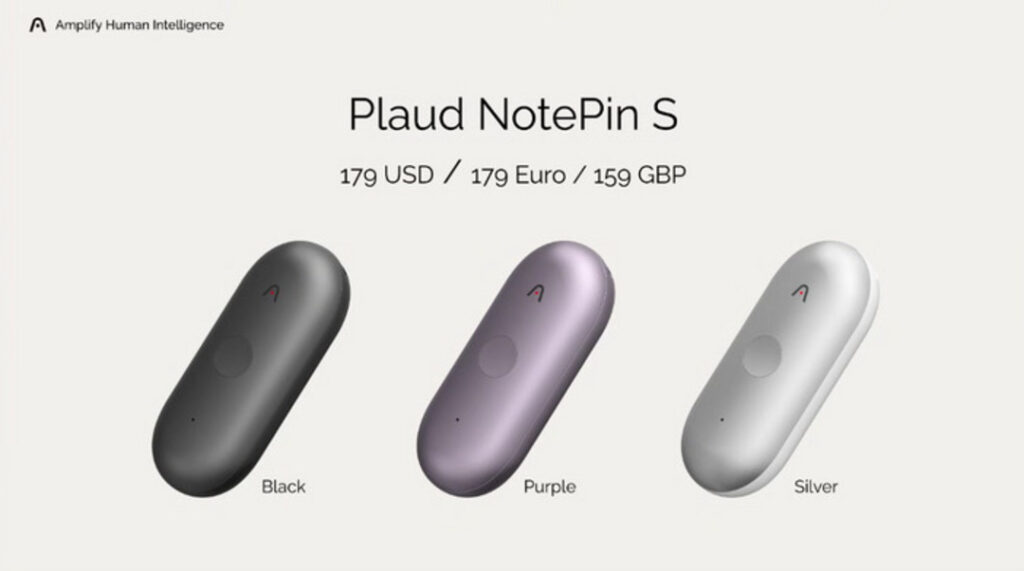
If you used the original NotePin (the 2025 model), you know the struggle of “did I tap it correctly to start recording?” The NotePin S fixes this with a dedicated, tactile physical record button. It sounds minor, but when you are in a rush to capture a thought or a sudden meeting start, that click is reassuring.
It’s incredibly light (just under 18g) and comes with four accessories in the box now wristband, lanyard, clip, and magnetic pin. I mostly wore it as a magnetic pin on my lapel. It looks like a piece of modern jewelry or a calm-down tool, not a wiretap.
The “Killer App”: Press-to-Highlight
The biggest upgrade in the “S” model is the “Press to Highlight” feature. During a rambling 45-minute budget meeting last Tuesday, my editor dropped a crucial deadline. I simply pressed the button once during the recording. When I checked the transcript later, that exact moment was flagged and bolded. It saved me from scrubbing through audio files like a caveman.
This video gives a great hands-on look at the new “S” model features, specifically showing how
the physical button and “Press to Highlight” work in real-time.
The AI Performance: Powered by GPT-5.2
The transcription (powered by GPT-5.2 in this iteration) is scary good. It didn’t just transcribe my interview with a mumbled tech CEO; it separated our voices perfectly and ignored the background coffee shop noise. The summary templates are where it shines, though. I used the “Interview” template, and it spit out a formatted article structure with key quotes extracted. It effectively did 40% of my job for me.
The Downside: The Subscription Wall
Here is the rub. The hardware is $179, but to get the really good features—like the advanced summary templates and unlimited cloud storage you need the AI membership. You get 300 minutes a month for free, but power users will likely need the Pro Plan ($99/year). It feels like a “subscription trap,” but frankly, the time it saves me is worth more than $8 a month.
The Verdict: Is the Plaud NotePin S Worth It?
The Plaud NotePin S is the first AI wearable that feels like a tool, not a toy. It doesn’t try to replace your phone; it just quietly ensures you never forget a conversation again. For journalists, students, or anyone with a wandering mind like mine, it’s essential gear.
RaveTech Score: 9.2/10
Price: $179.00 USD