

A gaming monitor arm vs regular stand comparison does not sound exciting until the desk starts feeling cramped, the screen sits too low, and the webcam angle makes every stream look worse. The monitor mount is not just furniture; it controls posture, mouse space, cable routes, and how the whole setup behaves.
Gamers often upgrade the panel first and ignore what holds it up. That can leave an expensive display trapped on a bulky stand that eats desk space and limits adjustment. A broader look at gaming desk accessories points to the same reality: small desk changes can make expensive gear feel easier to use.
Gaming Monitor Arm vs Regular Stand Starts With Control
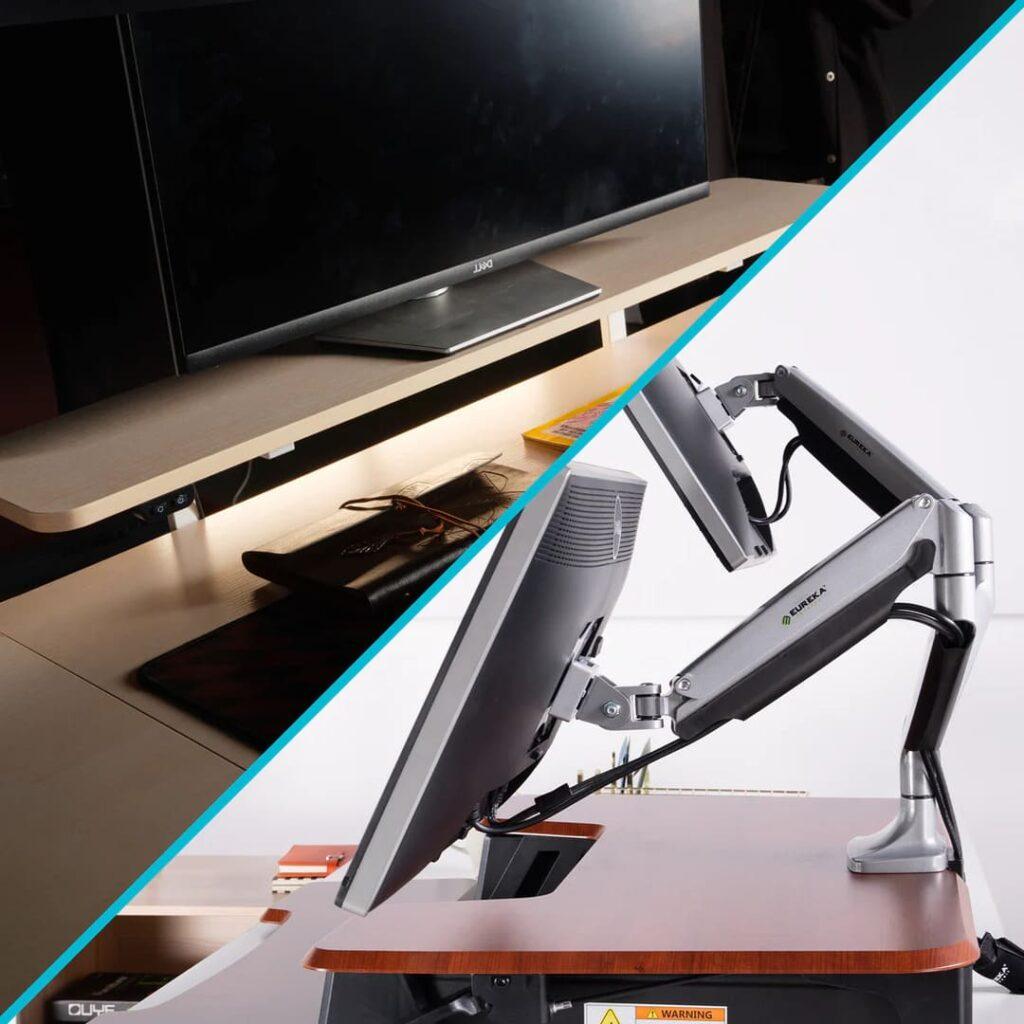
A regular monitor stand is convenient because it comes in the box. It is stable, simple, and usually good enough for basic use. The problem is that many stock stands have limited height adjustment, take up a large footprint, and make it harder to position the screen around the player.
A monitor arm gives more control. It can raise, lower, pull forward, push back, tilt, rotate, and clear the surface beneath the screen. That matters for gaming because monitor position affects neck posture, aiming comfort, speaker placement, camera framing, and even how much room the keyboard and mouse have.
OSHA’s monitor placement guidance says the top of a monitor should generally sit at or slightly below eye level. A monitor arm makes that easier to achieve, especially when the stock stand cannot go high enough.
| Setup Factor | Monitor Arm | Regular Stand |
|---|---|---|
| Desk space | Frees surface area | Takes up more room |
| Height adjustment | Usually better | Varies by model |
| Stability | Depends on arm and desk | Usually simple and stable |
| Cable routing | Cleaner if managed well | Often messier |
| Webcam framing | Easier to tune | More limited |
| Installation | Requires setup | Ready out of box |
| Best buyer | Custom desk user | Simple setup user |
Desk Space Is The First Real Win
The biggest immediate benefit of a monitor arm is desk space. Stock stands can be wide, deep, and awkward, especially on gaming monitors with dramatic feet. That footprint can crowd a mousepad, keyboard, mic base, controller, speakers, or audio interface.
A monitor arm moves the support point to the rear or side of the desk. That opens the area beneath the screen and makes the setup feel less trapped. For low-sensitivity FPS players, this can matter more than expected because mouse room directly affects aim movement.
Free desk space changes behavior. The player can place the keyboard more naturally, angle the mousepad properly, move a mic arm without conflict, and keep the main surface cleaner.
Ergonomics Are Not Just Office Advice
Gaming sessions can last as long as work sessions, sometimes longer. A screen that sits too low encourages forward head posture. A screen that sits too far away can make the player lean in. A screen placed off-center can twist the neck during long matches.
Mayo Clinic’s office ergonomics guide recommends placing the monitor directly in front of the user, about an arm’s length away, with the top of the screen at or slightly below eye level. That advice applies cleanly to gaming desks because the body does not care whether the screen is showing a spreadsheet or a ranked match.
A regular stand can still work if it reaches the right height. The issue is flexibility. A monitor arm is easier to tune as the desk changes, the chair changes, or a second monitor enters the setup.
Not Every Monitor Arm Is Safe For Every Screen
A monitor arm has to match the monitor. Weight, screen size, VESA mounting support, desk thickness, clamp type, and arm tension all matter. Buying the cheapest arm for a heavy ultrawide monitor is asking for trouble.
Some monitors also use unusual mounting adapters or heavy rear designs. Curved ultrawides and OLED gaming monitors may need stronger arms than a basic 24-inch display. The desk must be strong enough too; a weak tabletop can flex or mark under clamp pressure.
Compatibility is the hidden test. Check the monitor’s weight without the stand, the VESA pattern, the arm’s weight range, and whether the desk supports clamp or grommet mounting. A good arm should feel boring once installed, not like a gamble.
Camera Framing And Streaming Improve Faster
Streamers get another advantage from monitor arms: camera control. A webcam often sits on top of the monitor, so screen height affects camera angle. If the display is too low, the webcam points upward. If the monitor is too far away, the camera may need digital zoom or awkward cropping.
A monitor arm makes it easier to align the screen, camera, light, and face. That matters for creators using a single desk for gaming, recording, streaming, and video calls.
A regular stand can still be fine if the camera sits on a separate mount. But for simple setups, monitor height often becomes camera height. A monitor arm gives streamers more room to solve that without buying a separate camera rig.
Regular Stands Still Have A Place
A regular stand is not automatically bad. Some premium gaming monitors ship with strong stands that offer height, tilt, swivel, and stable support. For players who do not need extra desk space or frequent adjustment, the stock stand may be enough.
Regular stands also avoid installation risk. There is no clamp pressure, no tension adjustment, no compatibility check, and no chance of mounting the screen incorrectly. In shared spaces or temporary setups, that simplicity can be valuable.
The stock stand is also better for users who move equipment often. A monitor on an arm is not as easy to relocate as a monitor sitting on its original base.
The Next Setup Upgrade Should Be Measured By Friction
The pressure point for gaming desks is not whether the setup looks cleaner in a photo. It is whether the screen, keyboard, mouse, mic, and camera fall naturally into place every time the user sits down.
A monitor arm is worth buying when the current stand blocks mouse movement, forces poor posture, creates cable clutter, or hurts camera framing. A regular stand is fine when it already places the monitor correctly and does not steal useful desk space.
Gaming monitor arm vs regular stand matters because the display is the anchor of the whole setup. The right support can make a monitor feel more premium without changing the panel at all. The wrong support can make even a great screen feel like it is fighting the desk.