

Gaming desk setup mistakes can make a premium monitor, expensive microphone, fast mouse, and high-end keyboard feel worse than they should. The problem is rarely one bad gadget; it is usually a weak setup that forces good gear into uncomfortable positions.
That matters because more gamers and streamers are building hybrid desks for play, work, Discord, editing, and live content. A cleaner layout, better posture, and smarter lighting can often improve the experience before another upgrade does. If the desk already feels chaotic, a practical desk organization guide is often a better next step than buying another accessory.
Gaming Desk Setup Mistakes Start With The Monitor
The monitor is usually the center of the setup, but it is also one of the easiest things to place badly. A screen that sits too low can pull the head forward. A screen that sits too high can strain the neck. A screen pushed too far to one side can twist the body during long sessions.
OSHA’s computer workstation guidance says the top of the monitor should generally be at or slightly below eye level, with the center of the screen below horizontal eye level. That basic monitor height guidance matters for gaming because players often stay locked into the same posture longer than they realize.
A monitor arm can help, but only if it creates better alignment. Mounting a 32-inch display too close to the face or stacking a second monitor at an awkward angle can make the setup look impressive while making it harder to use. Good placement beats dramatic layout when comfort is the goal.
Cable Clutter Is Not Just A Looks Problem
Cable clutter makes a desk look messy, but the bigger issue is friction. Tangled cables make it harder to move a keyboard, adjust a microphone arm, clean the desk, swap peripherals, or troubleshoot gear before a stream.
A messy setup also encourages bad positioning. A mouse cable caught behind a monitor stand changes aim feel. A headset cable crossing the keyboard changes hand movement. A webcam cable pulling tight may force the camera into a worse angle.
The fix is simple but not glamorous: route power separately from data cables, label key connections, use cable clips or trays, and leave enough slack for devices that move. A gaming desk should be easy to reset, not just good enough for one photo.
| Setup Problem | What It Ruins | Better Fix |
|---|---|---|
| Monitor too low | Neck comfort and posture | Raise screen to eye-friendly height |
| Cables crossing the desk | Mouse movement and cleanup | Route cables under or behind desk |
| Mic too far away | Voice quality | Use a boom arm near mouth level |
| RGB as main light | Camera exposure | Add a real key light |
| Cramped mouse area | Aim consistency | Clear space beside keyboard |
| Chair too low | Wrist and shoulder comfort | Adjust seat and desk alignment |
Poor Lighting Makes Cameras And Eyes Work Harder
Gamers often treat lighting as decoration, but streamers know it is part of the production chain. RGB strips, wall glow, and reactive lighting can create mood, but they rarely solve the most important problem: making the face visible and reducing harsh contrast.
For long sessions, lighting also affects eye comfort. Mayo Clinic’s office ergonomics guidance recommends placing the monitor directly in front of the user and considering light sources around the screen area. Its workspace comfort advice is aimed at office setups, but the same logic applies to gaming desks where the screen dominates the room.
A simple key light placed slightly above eye level and off-center can do more for video quality than an expensive webcam in a dark room. RGB creates atmosphere; key lighting creates clarity.
Mic Placement Can Ruin A Good Microphone
A strong microphone cannot overcome bad distance. If the mic sits too far away, it picks up more room noise, keyboard clicks, fan hum, and echo. If it sits directly in front of the face, it may block the keyboard, camera, or monitor.
The sweet spot is usually a boom arm that brings the mic closer while keeping it out of the main field of view. The exact position depends on the mic type, desk layout, and speaking volume, but the principle is consistent: closer signal, less room.
This is where many streamers waste money. They buy a better mic before fixing placement. Then they wonder why the voice still sounds thin or noisy. A modest mic in the right position can outperform a premium mic treated like a desk ornament.
Cramped Desk Space Hurts Aim And Control
Mouse space matters more than many setup photos suggest. A full-size keyboard, giant mousepad, drink, controller, audio interface, capture card, and phone stand can leave the actual aiming zone too small.
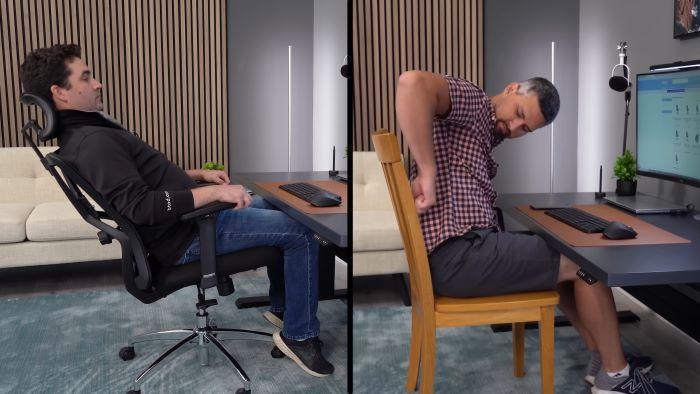
That hurts consistency. Low-sensitivity players need room for arm movement. High-sensitivity players still need a clean area for controlled corrections. Even non-FPS players benefit from a desk that does not force wrists into awkward angles.
A smaller keyboard can help. So can mounting the mic, moving the PC off the desktop, using a monitor arm, and keeping only active gear within reach. The goal is not minimalism for its own sake. It is reducing obstacles between the player and the controls.
The Next Upgrade Should Fix Friction First
Before buying another mouse, light, dock, chair, or headset, players should ask which part of the desk creates friction every day. Is the monitor hard to view? Is the mic always in the way? Are cables blocking movement? Does the camera look bad because lighting is weak? Does the desk feel crowded during ranked play?
Those answers usually reveal the next upgrade better than a spec sheet does. A monitor arm, cable tray, boom arm, key light, or wider mousepad may deliver more value than a new peripheral.
Gaming desk setup mistakes matter because a setup is a system. Expensive gear cannot feel premium if the desk forces bad posture, messy controls, weak audio, and poor visibility. The smartest setup upgrade is the one that makes every device easier to use tomorrow, not the one that merely adds another box to the desk.