

Samsung is presenting the Galaxy Z Fold8 as a phone that can expand into a serious entertainment screen. For gamers, that promise is more interesting than another camera comparison. Galaxy Z Fold 8 gaming asks whether one pocketable device can replace the compact tablet people use for mobile games, streaming and remote play.
The earlier Wide Fold design debate identified the opportunity: a foldable becomes useful when its inner display behaves like a real tablet rather than an awkward square. The Fold8 must prove that shape beyond promotional demos.
The 4:3 Display Changes the Gaming Argument
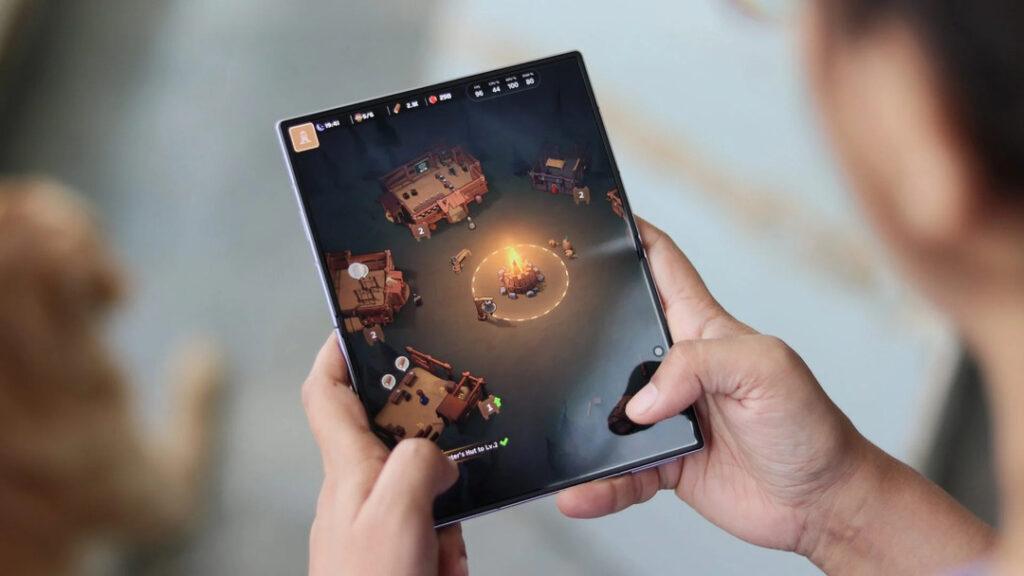
The Fold8 opens to a 7.6-inch, 4:3 display and uses a 5.5-inch cover screen when closed. Samsung says the main screen is optimized for longer-form content, while the cover display favors quick scrolling and ordinary phone use.
A 4:3 panel suits games built around older televisions, arcade layouts, emulation and some strategy interfaces. It also gives cloud-gaming windows more height than an ultra-wide phone screen.
The official Fold8 display design reaches up to 3,000 nits and includes an anti-reflection finish. That should help visibility, but size and brightness do not guarantee a clean image. Games may add black bars, crop interfaces or stretch menus depending on their supported aspect ratios.
The best screen is not the one with the largest diagonal number. It is the one that lets the software use the available space without compromise.
App Scaling Is the Test Samsung Cannot Control Alone
Android has improved on tablets and foldables, but developers still decide how a game responds to changing dimensions. Some titles expand naturally; others preserve a phone layout or waste the edges.
Google’s adaptive app guidance pushes developers to support different orientations, aspect ratios and resizable windows. Android can override some restrictions on larger displays, yet forced resizing does not automatically create a thoughtfully designed interface.
This is where hardware ambition meets software reality. A game may look beautiful yet place buttons too far apart for touch play. Another may fill the display but letterbox cinematics or alter its field of view.
Samsung needs a clear list of games tested for the 4:3 screen, not just a montage of titles that happen to launch.
| Signal to test | Strong result | Weak result |
| Interface scaling | Menus and controls use the full screen | Oversized buttons or empty borders |
| Controller support | Fast pairing and correct button prompts | Remapping or recognition problems |
| Sustained performance | Stable frame rates after 30 minutes | Heat-related slowdown |
| Remote play | Sharp text and responsive controls | Compression or scaling artifacts |
| Fold transition | Game resizes without restarting | Progress loss or layout corruption |
| Battery drain | Long session without rapid depletion | Charger needed during ordinary play |
A Controller Turns the Fold8 Into a Different Device
Touch controls remain the weakest part of many demanding mobile games. They cover the action, provide little physical feedback and become uncomfortable during longer sessions. A telescopic USB-C controller can turn the Fold8 into a small handheld, while a stand and wireless controller can create a miniature tabletop console.
The Fold8 fits in a pocket and already carries cellular connectivity, speakers, storage and the user’s primary apps. There is no second device to pack.
The accessory fit must be checked carefully. Foldable thickness, camera placement, USB-C alignment and case choice can prevent some controller grips from seating properly. Wireless controllers avoid that physical issue but add charging, pairing and input-latency considerations.
Portable does not mean self-contained. Buyers who need a controller, stand, cooling fan and charger to enjoy serious sessions may recreate the clutter they hoped the foldable would eliminate.
Performance Has to Survive More Than a Benchmark
Samsung equips the Fold8 with the Snapdragon 8 Elite Gen 5 for Galaxy and a 4,800mAh battery. The company claims up to 26 hours of video playback, but gaming places a heavier combined load on the processor, graphics system, display and wireless radios.
Peak benchmark scores are less useful than sustained behavior. Reviewers should test demanding games for at least 30 minutes, record frame-rate stability and note whether heat gathers around the hands or hinge. A thin foldable has less room to spread and exhaust heat than a dedicated gaming handheld.
Cloud gaming shifts processing elsewhere but introduces network dependence. Remote play may be the Fold8’s best use because it combines a portable display with hardware the buyer already owns.
The real victory would be consistent performance without special treatment—no aggressive settings cuts, no awkward cooling attachment and no need to unfold only for lightweight games.
A Foldable Still Cannot Match a Dedicated Handheld
Windows handhelds provide physical controls, stronger cooling, broader PC storefront access and better support for demanding native games. Compact gaming tablets offer larger batteries and screens at much lower prices. The Fold8 cannot beat both categories on their specialties.
Its advantage is consolidation: a phone, reader, video screen and game display in one 201-gram body. Samsung’s Flex Titanium structure is intended to make the device thinner, support the folding panel and reduce crease visibility, addressing some of the physical compromises that made earlier folds feel experimental.
That still leaves durability anxiety. Frequent gaming means more unfolding, longer heat exposure and more pressure from grips or stands. Buyers must be comfortable treating an expensive foldable as equipment rather than jewelry.
Galaxy Z Fold8 Gaming Must Win on Convenience
The most revealing tests will involve real routines: launching a game on the cover screen, unfolding without interruption, pairing a controller, playing for an hour, answering a message and returning without losing progress. Samsung’s Fold8 DeX tools add another layer for docked use, but they do not replace native game optimization.
Buyers should monitor app scaling, sustained heat, controller compatibility, battery drain and repair costs. Those factors will determine whether the Fold8 genuinely replaces a small tablet or merely imitates one during short demonstrations.
Galaxy Z Fold8 gaming succeeds when the device makes portable play easier because it is already in the user’s pocket. It fails when its premium screen requires so many accessories and compromises that a cheaper tablet or dedicated handheld becomes the simpler machine.