

Capture card vs wireless HDMI is not a choice between old cables and new convenience. It is a choice between recording control and signal freedom, and that difference matters the moment a console, camera, TV, projector, or streaming PC enters the setup.
Creators often want fewer cables, but streaming rewards reliability. A wireless HDMI kit can clean up a room beautifully, while a capture card is usually the more direct path to OBS, recording, overlays, and live production. That makes this a natural follow-up to a wireless HDMI setup because cable-free video is useful, but it is not the same job as capture.
Capture Card vs Wireless HDMI Starts With The Job
A capture card takes an HDMI signal and sends it to a computer for streaming or recording. A wireless HDMI transmitter sends video from one HDMI device to a display without running a long cable. Both touch HDMI, but they solve different problems.
Modern capture cards have become much more capable. Elgato’s 4K X technical sheet lists HDMI 2.1, USB 3.2 Gen 2 Type-C, passthrough up to 2160p144, VRR, HDR, and capture support up to 2160p144 under supported conditions. Those capture card specifications show why serious creators still rely on wired capture hardware.
If the goal is to stream console gameplay through OBS, add overlays, record footage, or bring a camera into a broadcast, a capture card is usually the right tool. If the goal is to send video across a room to a TV or projector without cable clutter, wireless HDMI makes more sense.
The destination decides the device. If the signal needs to enter streaming software, think capture card. If it needs to reach a screen, think transmitter.
| Setup Need | Capture Card | Wireless HDMI |
|---|---|---|
| Stream to OBS | Strong fit | Not the main purpose |
| Record gameplay | Strong fit | Usually weak |
| Send video to TV | Possible but indirect | Strong fit |
| Reduce long HDMI cable | Not always | Strong fit |
| Lowest setup risk | Wired models are safer | Depends on range and interference |
| Console streaming | Strong fit | Useful for display routing |
| Best buyer | Creator or streamer | Cable-free room user |
Capture Cards Give Creators More Control
A capture card is built for production. It gives the streaming PC access to gameplay or camera footage so the creator can record, broadcast, mix audio, add scenes, and monitor the signal.
The key advantage is predictability. A capture card connects the source to the streaming computer in a way software can use directly. That makes it better for OBS scenes, recording quality, alerts, commentary, and editing workflows.
Capture cards are more likely to support creator-specific needs: capture resolution, frame rate, HDR handling, VRR passthrough, audio input, software compatibility, and recording formats. That matters for YouTube uploads, Twitch streams, TikTok clips, and edited gameplay.
Wireless HDMI Solves A Different Pain
Wireless HDMI is about placement freedom. It can send a video signal across a room without a long HDMI cable running along the floor, wall, or ceiling. That is useful for projectors, wall-mounted TVs, meeting rooms, living rooms, and certain camera-monitor setups.
But wireless HDMI does not automatically replace a capture card. It may move the picture to a screen, but it does not necessarily give the PC a clean capture source for live production. A streamer still needs to ask where the signal is going and what software must do with it.
Latency Matters More For Gaming Than Movies
Wireless HDMI can be excellent for watching video, showing a camera feed, or sending casual content to a display. Gaming is more sensitive. Even small delays can feel wrong in fast games, especially if the player is using the remote display as the main screen.
Some wireless HDMI systems claim very low latency, but real performance depends on distance, walls, interference, frequency behavior, and the quality of the transmitter-receiver pair. A clean line-of-sight setup is different from sending video through furniture and walls.
Capture cards also have latency considerations, but passthrough can let the player use a display directly while the computer captures the signal separately. Play on passthrough, stream through capture is often the safer approach for console creators.
Quality And Format Support Can Decide The Winner
Wireless HDMI systems vary widely. Some focus on 1080p. Some support 4K. Some prioritize range over gaming responsiveness. Some are better suited for TVs and projectors than creator workflows.
Gamers using PS5, Xbox Series X, Switch-style consoles, cameras, or gaming PCs should check HDMI version, HDCP limitations, refresh rates, HDR, VRR, and whether the intended signal is encrypted or unencrypted. A device can be useful and still not support the exact format a setup needs.
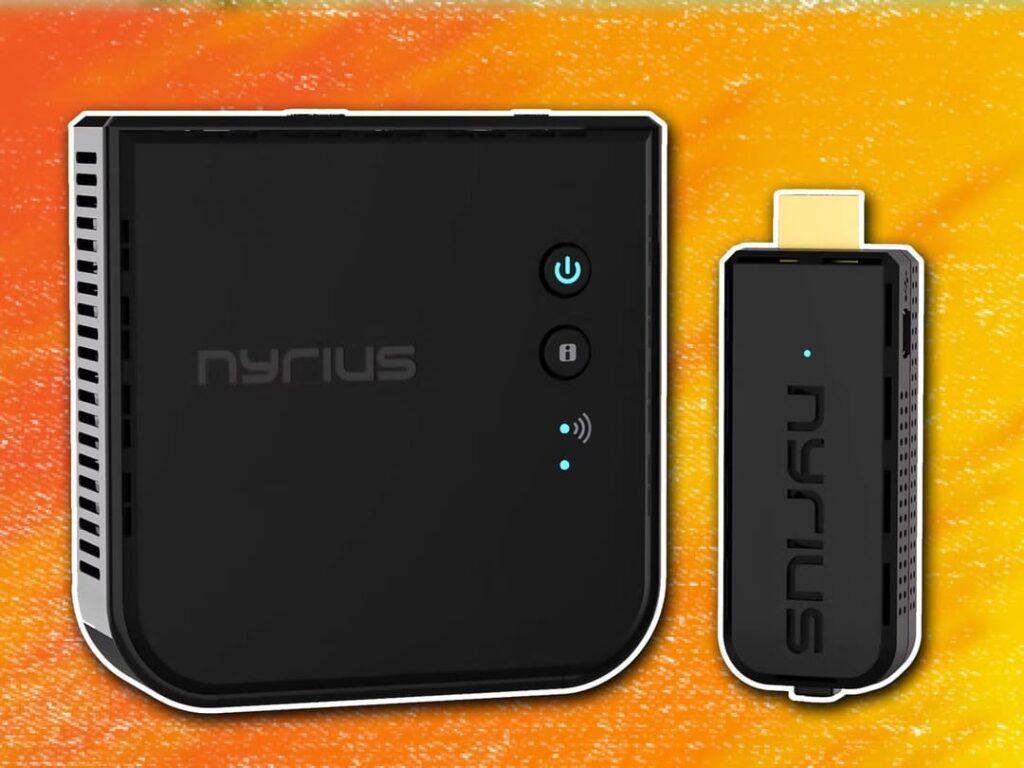
Nyrius describes its Aries Pro+ as a wireless HDMI system for 1080p video transmission, with long-range claims and line-of-sight performance depending on setup. Those wireless HDMI details make the appeal clear: less cable mess and more flexible display placement.
Desk Cleanliness Should Not Beat Reliability
A wireless HDMI system can make a room look cleaner. That is tempting for creators who want fewer visible cables and a neater desk. But a streaming setup has to work every time the creator goes live.
If a cable can be routed cleanly, a wired capture setup usually remains the safer choice for live production. If the room layout makes a long HDMI cable impractical, wireless HDMI can solve a real problem as long as expectations stay realistic.
Clean setups still need stable signals. A beautiful cable-free desk is not a win if it creates signal drops, sync issues, or format compromises during a broadcast.
The Next Signal Choice Is About Workflow
The next pressure point for streaming setups is workflow. Creators want less cable clutter, but they also want higher resolutions, higher frame rates, HDR, VRR, clean audio, and reliable recording. That pushes capture cards and wireless video into different roles rather than one replacing the other.
A capture card belongs at the center of a creator workflow. Wireless HDMI belongs where display placement is the problem. Some advanced setups may use both: wireless HDMI for room routing and capture hardware for production.
Capture card vs wireless HDMI matters because both can improve a setup, but only if they solve the right problem. Choose the capture card when the PC needs to record or stream the signal. Choose wireless HDMI when the screen is in the wrong place. The smartest streaming upgrade is not the cleanest-looking one; it is the one that keeps the signal useful from source to viewer.