

Ever watched a glorious gaming moment turn into pixelated chaos? That’s your network crying for help. Your fancy camera and microphone mean nothing if your connection can’t keep up.
Basic internet gear can’t handle 1080p streaming. You need at least 4.5-6 MBit/s upload speed for smooth broadcasting. Anything less is digital suicide.
We’re breaking down the essential hardware that separates professional setups from amateur disasters. From advanced routers to smart cable management, we’ll show you how to build a broadcast-worthy foundation.
Because let’s be real – nobody wants their epic gameplay climax to become a buffering nightmare. Time to upgrade your digital colosseum.
Comparing Gaming Routers
That plastic box in your corner isn’t just blinking lights – it’s the digital bouncer deciding whether your stream gets VIP treatment or gets stuck in the back alley. I’ve seen routers that promise gaming nirvana but deliver buffering purgatory.
Streaming demands constant upload stability. Your viewers want smooth 1080p, not pixelated nightmares. That requires 4.5-6 MBit/s upload speeds consistently. Most household routers prioritize downloads, leaving your uploads begging for scraps.
True gaming routers understand traffic prioritization. They use Quality of Service (QoS) features to identify gaming and streaming data. This ensures your gameplay doesn’t stutter while broadcasting.
Let’s break down what actually matters:
- Upload bandwidth management – Can it maintain stable uploads during peak usage?
- Latency control – Does it prioritize real-time data for smoother streams?
- Dual-band capability – Can it separate gaming traffic from other devices?
- Ethernet ports – Because wired connections are more stable
Some “gaming” routers are just regular models with aggressive marketing and RGB lighting. They look like alien technology but perform like dial-up modems. The real winners are routers with actual traffic shaping capabilities.
WiFi 6 routers deserve special attention. They handle multiple devices better than previous generations. This means your phone, laptop, and console won’t fight for bandwidth while you’re streaming.
Remember: cellular bonding technology can create backup connections. Some premium routers support this feature for ultimate reliability. When your main connection falters, your stream continues uninterrupted.
Don’t be fooled by flashy packaging. Look for routers with proven QoS features and strong upload management. Your audience will thank you when they’re watching flawless streams instead of buffering animations.
Mesh Systems vs Traditional Networks
Choosing between mesh systems and traditional routers is like picking between a symphony orchestra and a solo artist. Both can create beautiful music. But one offers coordinated coverage, while the other relies on raw power from a single spot.
I’ve lost count of how many streams I’ve watched die in Wi-Fi dead zones. That moment when your broadcast stutters because you walked from your gaming setup to the kitchen? That’s traditional networking’s Achilles’ heel. Mesh systems solve this with multiple nodes working in concert.
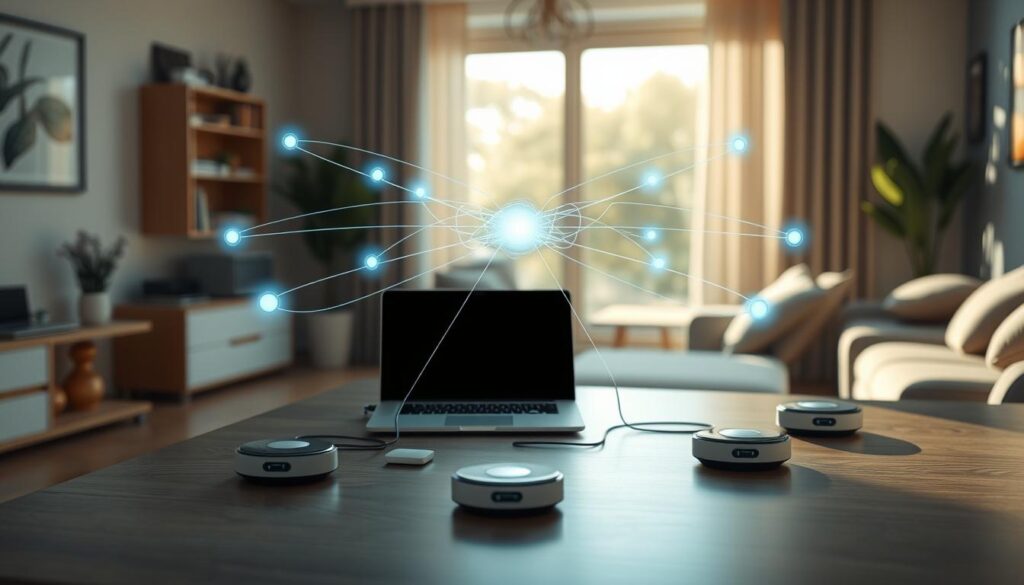
The real question isn’t about maximum speed – it’s about consistent performance. Traditional routers might boast higher peak speeds, but mesh networks deliver stable connections throughout your entire space. No more dropped frames when you move between rooms during IRL streams.
Let’s talk numbers. Packet loss rates tell the real story:
- Traditional networks: 5-15% packet loss at range
- Mesh systems: Typically under 2% throughout coverage area
- Latency spikes: More frequent with extenders than with proper mesh
But here’s the catch – mesh isn’t magic. Those additional nodes create more possible failure points. A poorly configured mesh system can actually perform worse than a well-placed traditional router. It’s about implementation, not just hardware.
The premium price tag for mesh systems makes sense for serious streamers. If your content moves through multiple spaces or you stream from large homes, the investment pays for itself in viewer retention. For apartment dwellers? A quality traditional router might be the smarter play.
Ultimately, mesh represents the future of home networking. The technology continues to improve while prices gradually drop. For broadcast-quality stability across your entire streaming domain, mesh systems are becoming the obvious choice.
Powerline Adapters
Powerline adapters turn your home’s electrical wiring into a fast data path. Say goodbye to Wi-Fi dead spots and signal drops from walls. It’s like finding secret passages in your home.
For streamers, these adapters are essential. They ensure smooth streams without lag or drops. Your viewers will notice if your stream stutters.
I’ve tested these devices in old and new homes. They work well when on the same circuit but not across different ones. It’s all about the electrical setup.
Can they handle streaming demands? Yes, with the right setup. Look for adapters with gigabit ports and quality-of-service features. They should prioritize gaming and streaming.
Here’s what makes a good powerline adapter:
- Consistent latency under 10ms for most setups
- Minimal packet loss even during peak household electricity usage
- Stable upload speeds maintaining that 6 MBit/s threshold
- Easy pairing without technical expertise required
Modern adapters come with switches for wired connections. This means you don’t need extra network gear. Some even extend Wi-Fi while keeping wired speeds high.
The performance comparison tells the real story:
| Adapter Type | Max Speed | Latency | Best Use Case |
|---|---|---|---|
| Basic Powerline | 500 Mbps | 5-8 ms | HD Streaming |
| AV2 Powerline | 1200 Mbps | 3-5 ms | 4K Streaming |
| Powerline with Switch | 2000 Mbps | 2-4 ms | Professional Streaming |
| Mesh Powerline Hybrid | 2400 Mbps | 1-3 ms | Multi-stream Setup |
Setting them up is easy. Just plug one near your router and connect via Ethernet. Place the second in your streaming area for fast speeds. Newer models have switches for multiple devices.
Electrical interference can affect performance. Use wall outlets directly and avoid power strips. The distance between adapters is less important than the circuit quality. Even in old homes, they outperform wireless.
For professional streamers, powerline adapters are essential. They offer a stable connection and look good. No more tripping over Ethernet cables.
The technology has improved a lot. Modern units have encryption for security and smart switches for better traffic flow. They’re a key tool for streamers in tough network situations.
Are they perfect? No, but they’re great for reliable streaming without needing to change your home. They’re like finding a shortcut to success.
Cable Management
I’ve seen more problems caused by loose cables than actual tech issues. Keeping your cables organized is essential. A messy desk isn’t just ugly; it’s a risk to your reputation.
Good cable management makes your streaming area look great. It turns a messy space into a professional setup. It’s the difference between looking like you stream from home versus a real studio.
Organized cables also help your gear stay cool. This reduces overheating during long streams. It’s easier to find problems when cables are tidy.
Your viewers will notice a clean setup. It shows you’re professional and pay attention to details. A neat setup is like wearing pants on Zoom; it’s not seen but it matters.
Begin with simple tools like velcro or zip ties. For more complex setups, use cable raceways or trays. The lazy gamer’s way shows even a little effort can make a big difference.
Label your cables to save time. Color-coded sleeves make it easy to find connections. This turns finding cables into a quick task.
Get the right tools: cable combs, sleeves, and mounts. They’re cheap but very useful. They help avoid stream problems caused by cables.
Good cable management isn’t about being perfect. It’s about having a safe, professional space. Your future self will thank you, and your viewers will appreciate it.
You don’t have to let cable chaos win. With some organization, you can show your content in the best light.
Network Monitoring Tools
Streaming is like a high-stakes poker game. Network monitoring tools are like a tell, showing what’s happening before anyone notices. I learned this the hard way during a charity stream that turned into a buffering disaster. Waiting for chat to complain is like using smoke signals when you could have satellite imaging.
Modern pro gaming network gear includes monitoring solutions that give you real-time data. You get info on packet loss, jitter, and bandwidth utilization. Catching these issues early means fixing them before anyone notices.
The best tools range from simple software apps to sophisticated hardware monitors. Some solutions even predict network problems before they impact your broadcast. It’s like having a weather forecast for your internet connection.
I’ve tested monitoring tools that feel like having a co-pilot for your stream. They alert you when packet loss exceeds 2% or when ping times spike. This early warning system transforms how you manage your pro gaming network gear setup.
Real-time performance tracking separates professional streamers from amateurs. The data these tools provide helps you make informed decisions about your broadcast quality. Should you lower your bitrate? Is your ISP throttling your connection? The answers appear before problems do.
Investing in quality monitoring pro gaming network gear pays for itself in viewer retention. Nothing kills a stream’s momentum like technical issues that could have been prevented. The right tools turn guesswork into certainty.
Streaming without proper monitoring is like driving with a blindfold. You might eventually reach your destination, but the journey will be messy and unpredictable. Modern solutions give you the visibility needed to maintain broadcast excellence.
The evolution of pro gaming network gear monitoring means we now have options for every budget and setup. From free software solutions to enterprise-grade hardware, there’s no excuse for flying blind. Your viewers deserve consistency, and these tools deliver it.
Budget vs Premium Gear
Ever wonder if that shiny pro gaming network gear is worth the mortgage payment? I’ve tested everything from routers that cost less than dinner for two to systems that rival a decent used car. The truth isn’t as simple as “you get what you pay for.”
Budget gear often surprises. That €20 ring light? It works. The €150 green screen? Magic. But networking equipment follows different rules. Cheap routers can handle casual browsing but crumble under streaming demands.

Premium pro gaming network gear brings tangible benefits. Better processors handle multiple streams. Advanced QoS prioritizes your gameplay. Superior antennas provide stable connections. These aren’t just fancy lights – they’re performance upgrades your viewers will notice.
Consider this comparison:
| Feature | Budget Gear | Premium Gear |
|---|---|---|
| Connection Stability | Occasional drops | Rock solid |
| Multiple Device Handling | Struggles under load | Smooth performance |
| Long-term Reliability | 1-2 years | 3-5+ years |
The sweet spot? Mid-range equipment that offers 80% of premium features at 40% of the cost. Your streaming setup doesn’t need gold-plated Ethernet cables. But it does need reliable performance.
Invest where it matters: your main router and modem. Save on accessories and cables. Remember: viewers can’t see your router’s price tag, but they’ll definitely notice when your stream buffers during critical moments.
Smart spending beats either extreme. Choose pro gaming network gear that matches your actual needs, not marketing hype. Your budget – and your viewers – will thank you.
Keeping Your Network Future-Proof
Future-proofing your streaming setup is like solving a Rubik’s Cube blindfolded. The rules change before you can say “lag spike.”
Real future-proof pro gaming network gear looks beyond today’s 4K streams. Wi-Fi 6E compatibility is key for surviving the 8K wave. Multi-gig Ethernet ports are essential for new codecs that need lots of bandwidth.
5G home internet might soon make wired connections outdated. But for now, fiber-optic backbones and quality routers are best. Choose gear that adapts, not just performs.
Your network should evolve like streaming platforms do—constantly and unexpectedly. Pick pro gaming network gear that won’t get left behind.
The streaming world changes faster than memes. Invest in infrastructure that grows with the revolution, not against it.