

The gaming router vs regular router debate usually starts after a bad night of lag. A player misses shots, a stream drops frames, or a download chokes the whole house, and suddenly the router becomes the easiest suspect.
The truth is more specific. A gaming router can help the right home network, but it will not fix a weak internet plan, overloaded server, bad Wi-Fi placement, or a console sitting behind three walls. Rave-Tech has already covered the broader upgrade path in its Wi-Fi 7 router guide, and the real question is whether gaming features solve your actual bottleneck.
Gaming Router vs Regular Router Comes Down To Control
A regular router is built for general connectivity. It gets phones, laptops, TVs, smart devices, and consoles online. A gaming router usually adds more control: traffic prioritization, gaming dashboards, device rules, dedicated SSIDs, better port options, and sometimes lower-latency tuning.
That control matters when the home network is busy. If one person is gaming, another is streaming 4K video, someone else is on a video call, and a laptop starts a large download, the router has to decide what traffic gets priority.
A gaming router tries to make those decisions easier. The upgrade is less about magic speed and more about traffic management.
| Buying Factor | Gaming Router | Regular Router |
|---|---|---|
| Best strength | Priority control and gaming features | Simpler home connectivity |
| Best user | Gamers, streamers, crowded homes | Casual users and small households |
| Latency help | Can help local congestion | Depends on model and settings |
| Main risk | Paying for features you do not use | Fewer tuning options |
| Wi-Fi 7 value | Strong with compatible devices | Still fine for basic use |
| Best setup | Wired gaming plus strong Wi-Fi | Basic browsing, streaming, phones |
Ethernet Still Beats Router Marketing
For serious gaming, Ethernet remains the cleanest answer when it is practical. A wired connection removes many wireless variables: interference, wall distance, band switching, signal strength, and crowded channels.
That does not make gaming routers useless. It means buyers should not skip the obvious fix. If your console or PC can be wired to the router, do that before spending heavily on wireless upgrades.
Gaming routers become more useful when Ethernet is not realistic. Renters, living-room gamers, handheld players, and multi-floor homes often depend on Wi-Fi. In those setups, better coverage, stronger radios, better firmware, and traffic controls can matter.
Still, a router cannot beat physics. Poor placement can ruin a premium model. Put the router in a better location before assuming the hardware is the only problem.
Wi-Fi 7 Makes Gaming Routers More Interesting
Wi-Fi 7 has made router shopping more confusing and more promising at the same time. Intel’s Wi-Fi 7 overview highlights Multi-Link Operation, wider channels, and lower-latency potential when compatible devices and network conditions line up.
For gamers, the important idea is reliability under load. A Wi-Fi 7 gaming router can be useful in a home with newer phones, laptops, handheld gaming PCs, smart TVs, and streaming devices all competing for bandwidth.
But there is a catch. The device must support newer Wi-Fi features to get the full benefit. A Wi-Fi 7 router connected mostly to older devices may still improve coverage and processing, but it will not transform every client into a next-gen wireless machine.
QoS And Prioritization Can Help Crowded Homes
Quality of Service, often called QoS, is one of the most useful gaming-router features when implemented well. It lets the router prioritize gaming traffic or specific devices so a download or video stream does not crush latency-sensitive play.
TP-Link’s gaming router guide frames this around low latency, stable connections, and traffic prioritization, which is exactly where gaming routers can make sense for households with mixed usage.
The buyer warning is that QoS is not automatic salvation. Bad settings can create new problems. Some routers make prioritization easy. Others bury the controls in confusing menus. A gaming router with good software may be worth more than one with bigger speed numbers but clumsy controls.
The Router Is Not Always The Lag Problem
Gamers often blame the router when the issue is somewhere else. The game server may be far away. The ISP may have congestion. The modem may be outdated. The home may have packet loss. The console may be connected to a weak Wi-Fi band. Background downloads may be eating bandwidth.
That is why diagnosis matters. Check ping, packet loss, signal strength, and whether lag happens only in one game or across everything. Test wired versus wireless. Restart the modem. Move the router. Separate 2.4GHz, 5GHz, and 6GHz devices if needed.
A gaming router should be the fix after the problem is identified, not the first guess after every lag spike.
The Best Buyers Are Gamers With Busy Networks
The strongest candidates for a gaming router are players in busy homes. If multiple people stream, work, download, game, and use smart devices at the same time, a better router can reduce friction.
Streamers also have a stronger case. Upload stability matters when broadcasting live, and a router that handles prioritization and wired connections well can help protect stream quality.
A solo player in a small apartment with a good Ethernet connection may not need a gaming router at all. A strong regular router may be enough, especially if the internet plan and modem are solid.
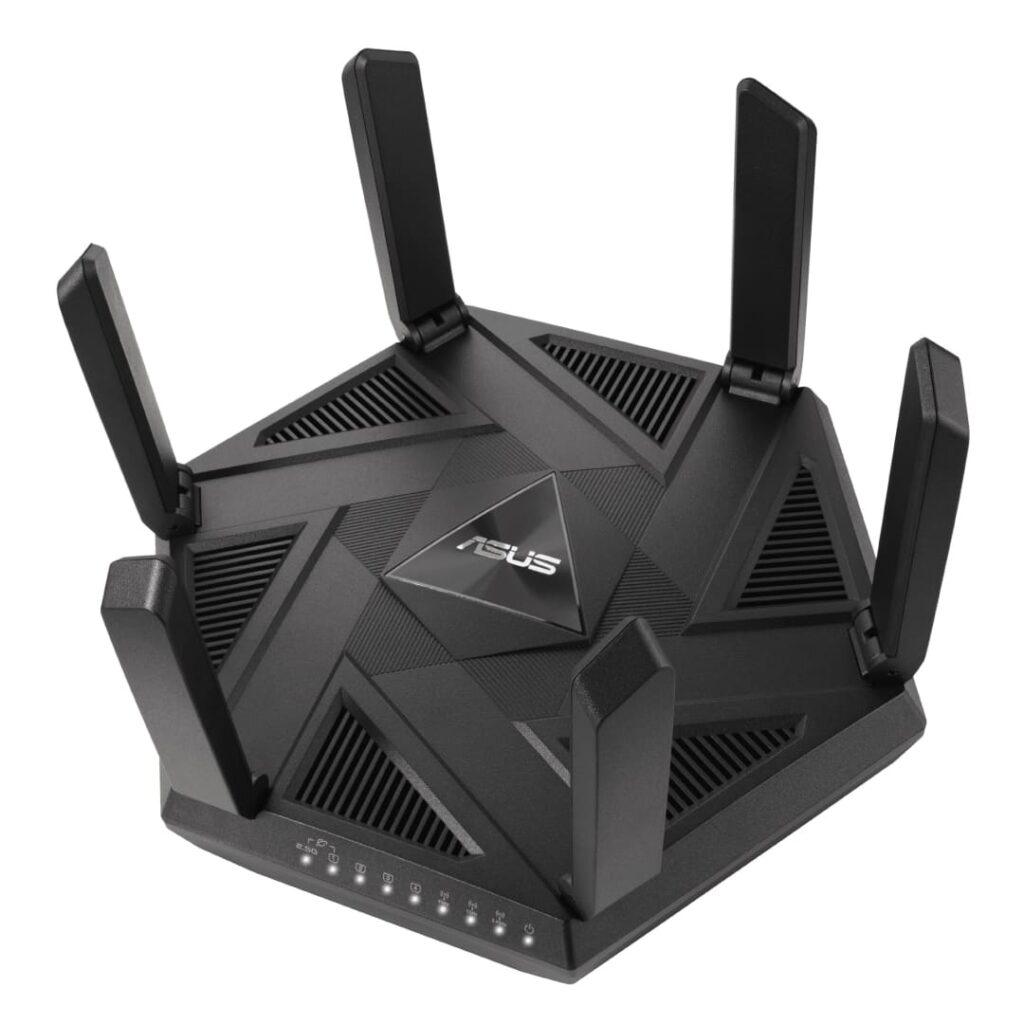
The Next Router Battle Is Software
The next pressure point in router buying is not just Wi-Fi 7 or bigger antennas. It is software. Buyers should look for firmware updates, security support, clear dashboards, device-level controls, parental options, mesh compatibility, and easy traffic management.
A router with poor software can age badly. A router with good software can stay useful even after faster models appear.
The gaming router vs regular router decision matters because lag is rarely caused by one thing. A gaming router can be a smart upgrade for crowded homes, wireless gamers, and streamers who need more control. But the smartest path is still diagnosis first, wiring when possible, and then buying the router that solves the real weak point in your network.
Gaming Router vs Regular Router FAQ’s
Is a gaming router actually worth it?
A gaming router is worth it if your home network is crowded, you need better traffic prioritization, or you rely on Wi-Fi for gaming. It is less useful if you already have stable Ethernet and a strong router.
Will a gaming router lower my ping?
A gaming router may reduce local network congestion and improve wireless stability, but it cannot change game server distance or ISP routing. It helps most when your current lag is caused inside your home network.
Is Ethernet better than a gaming router?
Ethernet is usually better for one gaming device because it is stable and low-latency. A gaming router helps manage the whole home network, especially when many devices compete for bandwidth.