

The Logitech PRO X2 SUPERSTRIKE vs Razer Viper V4 Pro comparison is not just another premium mouse spec fight. It is a cleaner question for competitive players: would you rather tune the click itself, or strip the mouse down until movement feels almost weightless?
That tension matters because esports mice have spent years chasing the same formula: lighter shells, faster sensors, higher polling, fewer distractions. For anyone comparing Razer’s latest mouse against its previous flagship, Rave-Tech’s Razer Viper V3 Pro review gives useful background on why the Viper line became such a default pick for FPS players.
Logitech PRO X2 SUPERSTRIKE vs Razer Viper V4 Pro Is Really About Input Philosophy
Logitech and Razer are solving different problems here.
The Logitech PRO X2 SUPERSTRIKE is built around Logitech’s Haptic Inductive Trigger System, which lets players adjust click actuation and reset behavior on the main buttons. That makes the mouse feel closer to the rapid-trigger keyboard conversation than a normal left-click/right-click upgrade.
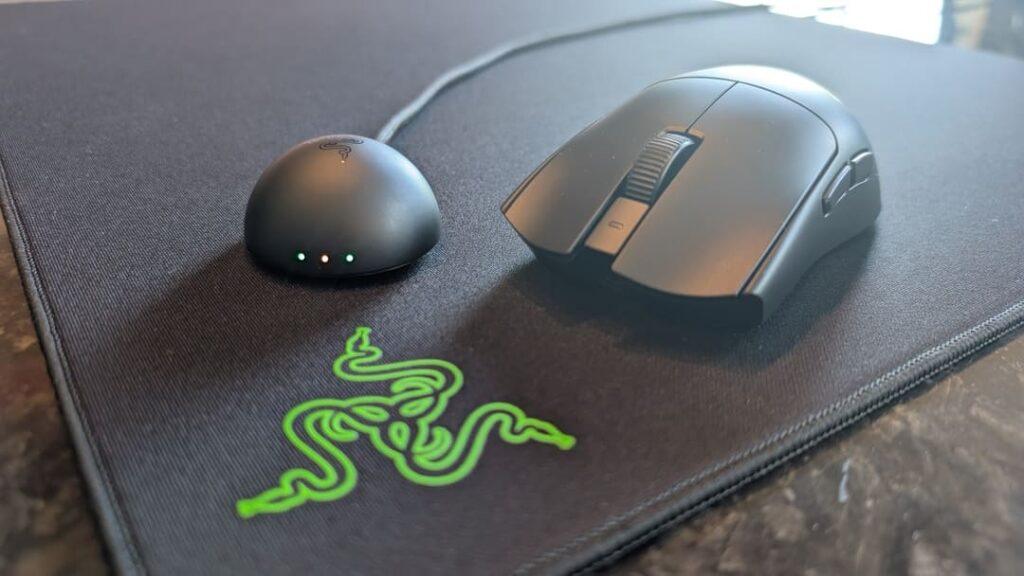
Razer’s Viper V4 Pro is less experimental. The Razer Viper V4 Pro focuses on ultra-light movement, a 50K optical sensor, true high-end wireless performance, and long battery life. It wants to be fast by being physically simple.
That is the split. Logitech is trying to make clicking more tunable. Razer is trying to make aiming cleaner.
The real decision starts there.
Quick Comparison Table
| Category | Logitech PRO X2 SUPERSTRIKE | Razer Viper V4 Pro |
|---|---|---|
| Best For | Players who want tunable click feel | FPS players who want lighter movement |
| Weight | Around 65g | 49g black / 50g white |
| Sensor | HERO 2, 44K DPI | Focus Pro 50K Optical Sensor Gen-3 |
| Polling Rate | Up to 8K | Up to 8K |
| Battery Life | Up to 90 hours | Up to 180 hours at 1000Hz / 45 hours at 8000Hz |
| Main Hook | Haptic click tuning | Ultra-light esports speed |
Logitech Is Treating the Click Like a Performance Setting
The PRO X2 SUPERSTRIKE’s best argument is not that it has a fast sensor or a high polling ceiling. Those are expected at this tier. Its real pitch is that the mouse click has been underdeveloped compared with everything else in a competitive setup.
Players already tune DPI, sensitivity, mousepad friction, lift-off distance, grip tape, monitor refresh rate, keyboard actuation, and audio settings. Logitech is asking why the main mouse click should stay fixed.
That matters most for players who use repeated taps, controlled bursts, semi-auto weapons, or ability timing. A click that actuates earlier and resets faster can feel more responsive, especially when the player has tuned it to match their finger pressure.
This will not appeal to everyone. Some players want their mouse to feel predictable from the first minute. Others enjoy deep setup work and want another layer of control.
Logitech’s edge is customization, not simplicity.
Razer’s Advantage Is That It Does Less and Moves Faster
The Viper V4 Pro is built around the opposite confidence. It does not ask the player to rethink the click. It trims weight, sharpens tracking, and keeps the mouse focused on the hand-to-screen relationship.
At 49g in black and 50g in white, the Viper V4 Pro is significantly lighter than the Logitech option. That difference can be felt during wide swipes, quick corrections, and long ranked sessions where fatigue creeps in slowly.
The shape also matters. Razer’s Viper line has leaned into a low, symmetrical, esports-focused profile that works well for claw and fingertip users. That makes the V4 Pro easy to understand for FPS players who already know what kind of mouse they like.
The Focus Pro 50K Optical Sensor Gen-3 gives Razer the stronger headline sensor number, but the bigger practical story is trust. A competitive mouse should disappear during play. The Viper V4 Pro is designed to do exactly that.
Razer’s edge is movement purity.
The Sensor Race Is Less Important Than the Hand Feel
Both mice are deep into diminishing returns for normal players. Logitech’s HERO 2 sensor reaches 44K DPI. Razer’s Focus Pro 50K Optical Sensor Gen-3 goes higher. Both support up to 8K polling.
Those numbers matter, but not in the way spec sheets often imply. Most serious players are not gaming anywhere near maximum DPI. They care about consistency, click timing, glide, shape, battery behavior, and whether the mouse feels stable during pressure.
That is why the Logitech PRO X2 SUPERSTRIKE vs Razer Viper V4 Pro debate should not be reduced to DPI. A higher ceiling does not automatically create better aim. A lower-weight body does not automatically make every player more accurate. A tunable click does not automatically make every shot faster.
The better question is what kind of mistake your current mouse creates.
If you overshoot, fight fatigue, or want freer movement, Razer makes more sense. If your clicks feel late, heavy, or inconsistent during repeated inputs, Logitech’s approach becomes more interesting.
Battery Life Gives Razer the Cleaner Everyday Case
Battery life is one of the easiest wins for the Viper V4 Pro. Razer’s listed figures reach up to 180 hours at 1000Hz and up to 45 hours at 8000Hz. Logitech’s PRO X2 SUPERSTRIKE is listed at up to 90 hours.
That does not mean the Logitech is weak. Ninety hours is still practical for most gaming setups. But Razer gives players more headroom, especially if they bounce between games, travel with the mouse, or simply dislike charging peripherals.
Polling rate also changes the conversation. Running 8K all the time can drain battery faster, and not every player will feel a major benefit in every game. Many buyers may use 1000Hz for daily play and save higher polling for competitive sessions.
That is where Razer feels easier. It gives you premium performance without demanding as much battery management.
Battery confidence matters when the desk already has too many devices asking for a cable.
The Next Mouse Upgrade May Not Be a Sensor Upgrade
The more interesting part of this comparison is what it says about the future of esports mice. The old race was simple: lighter, faster, higher DPI. Razer is still extremely good at that race. Logitech is trying to move the fight somewhere else.
If the PRO X2 SUPERSTRIKE catches on, expect more mouse makers to treat click actuation as a tunable performance layer. That could push mice closer to keyboards, where rapid trigger and actuation settings have already changed how competitive players think about input speed.
If the Viper V4 Pro remains the safer pro-style pick, it will reinforce the idea that elite players still value physical simplicity over deeper customization.
Neither direction is wrong. They just serve different types of players.
Final Verdict: Pick the Advantage You Can Actually Feel
The Logitech PRO X2 SUPERSTRIKE vs Razer Viper V4 Pro matchup comes down to a simple but useful split.
Choose the Logitech if you want the more experimental mouse, especially if click feel, actuation, and reset behavior matter to your game. It is the more interesting choice for players who enjoy tuning inputs and want their mouse buttons to behave less like fixed switches.
Choose the Razer if you want the cleaner FPS weapon. It is lighter, more direct, and easier to recommend for players who care most about fast movement, stable tracking, and battery headroom.
The Logitech PRO X2 SUPERSTRIKE vs Razer Viper V4 Pro fight matters because it shows premium esports mice moving in two directions at once. One side is chasing a smarter click. The other is chasing a lighter hand. The better mouse is the one that solves the problem you actually feel during a match.